
Your profile photo is the most-viewed image you will ever post on social media. It appears on every comment you make, every message you send, every search result that surfaces your name, and every piece of content you publish. It is the visual anchor of your entire online presence — and yet most people choose it with less thought than they give to a casual Instagram story.
The stakes are higher than most people realize. Research consistently shows that profile photos are processed in milliseconds and trigger immediate, largely unconscious judgments about competence, warmth, trustworthiness, and credibility. A strong profile photo doesn't just make you look good — it makes people more likely to follow you, connect with you, hire you, buy from you, and engage with your content. A weak profile photo creates friction at every touchpoint, subtly undermining the impression you're trying to make.
But here's the complication: the "right" profile photo isn't the same across every platform. LinkedIn audiences have different expectations than TikTok audiences. What works for a personal brand on Instagram may not work for a small business Facebook page. The optimal profile photo for Twitter/X is different from the optimal photo for a Google Business profile. Each platform has its own culture, its own audience expectations, and its own technical constraints — and your profile photo strategy needs to account for all of them.
This guide covers everything you need to know about choosing, optimizing, and updating your profile photos across every major social media platform — for individuals building personal brands, content creators growing audiences, professionals managing their online reputation, and small business owners representing their brand online.
Why Your Profile Photo Is Your Most Powerful Social Media Asset
Before diving into platform-specific strategy, it's worth understanding why profile photos matter so much — and why the investment in getting them right pays dividends across your entire social media presence.
The First Impression Effect
Human brains are extraordinarily fast at processing faces. Research from Princeton University found that people form judgments about a person's competence, trustworthiness, and likability from a facial photograph in as little as 100 milliseconds — faster than conscious thought. These snap judgments are remarkably consistent across observers and have real-world consequences: studies have found that profile photo quality influences hiring decisions, connection acceptance rates, and even the perceived credibility of written content.
Your profile photo is almost always the first thing someone sees when they encounter you online. Before they read your bio, your posts, or your credentials, they've already formed an impression based on your photo. That impression colors everything that follows — it's the lens through which all your subsequent content is interpreted.
Recognition and Consistency
Your profile photo is also your primary recognition signal across social media. When someone sees your comment on a post, your message in their inbox, or your name in a search result, your profile photo is what makes you instantly recognizable. A consistent, high-quality profile photo across platforms creates a coherent visual identity that makes you easier to find, remember, and trust.
This recognition function is particularly important for content creators and small business owners. When your audience sees your profile photo, they should immediately know who you are and what you represent. Inconsistency — different photos on different platforms, or photos that change frequently — erodes this recognition and makes your brand feel less established and trustworthy.
The Trust Signal
Profile photos function as trust signals in ways that go beyond aesthetics. A professional, well-lit, clear profile photo signals that you take your online presence seriously — that you're a real person or a legitimate business, not a bot or a spam account. This matters more than ever in an era of widespread online skepticism.
For small business owners, a professional profile photo (whether a personal headshot or a polished brand image) can be the difference between a potential customer clicking through to your website or scrolling past. For professionals, it can influence whether a recruiter or potential client takes your connection request seriously. For content creators, it affects whether new visitors decide to follow you or move on.
The Universal Rules for Great Profile Photos
Before getting into platform-specific guidance, there are several principles that apply to profile photos across every platform.
Prioritize Your Face
Unless you're a business account using a logo, your profile photo should prominently feature your face. Faces are what human brains are wired to process and respond to — they communicate personality, warmth, and approachability in ways that no other image can. A photo where your face is small, obscured, or absent is a missed opportunity to make a genuine human connection.
This applies even if you're camera-shy or don't love how you look in photos. A clear, well-lit photo of your actual face will always outperform a landscape, a pet, a logo, or a heavily filtered image for building trust and connection. If camera confidence is a challenge, the techniques in our guide on overcoming camera anxiety can help — and AI photo enhancement tools like Glowup can transform a decent photo into a polished, professional one.
Get the Lighting Right
Lighting is the single most impactful technical factor in profile photo quality. Good lighting makes skin look smooth and even, eyes look bright and clear, and the overall image look professional and intentional. Poor lighting — harsh shadows, unflattering overhead light, or a dark, underexposed image — makes even the most attractive person look tired, untrustworthy, or unprofessional.
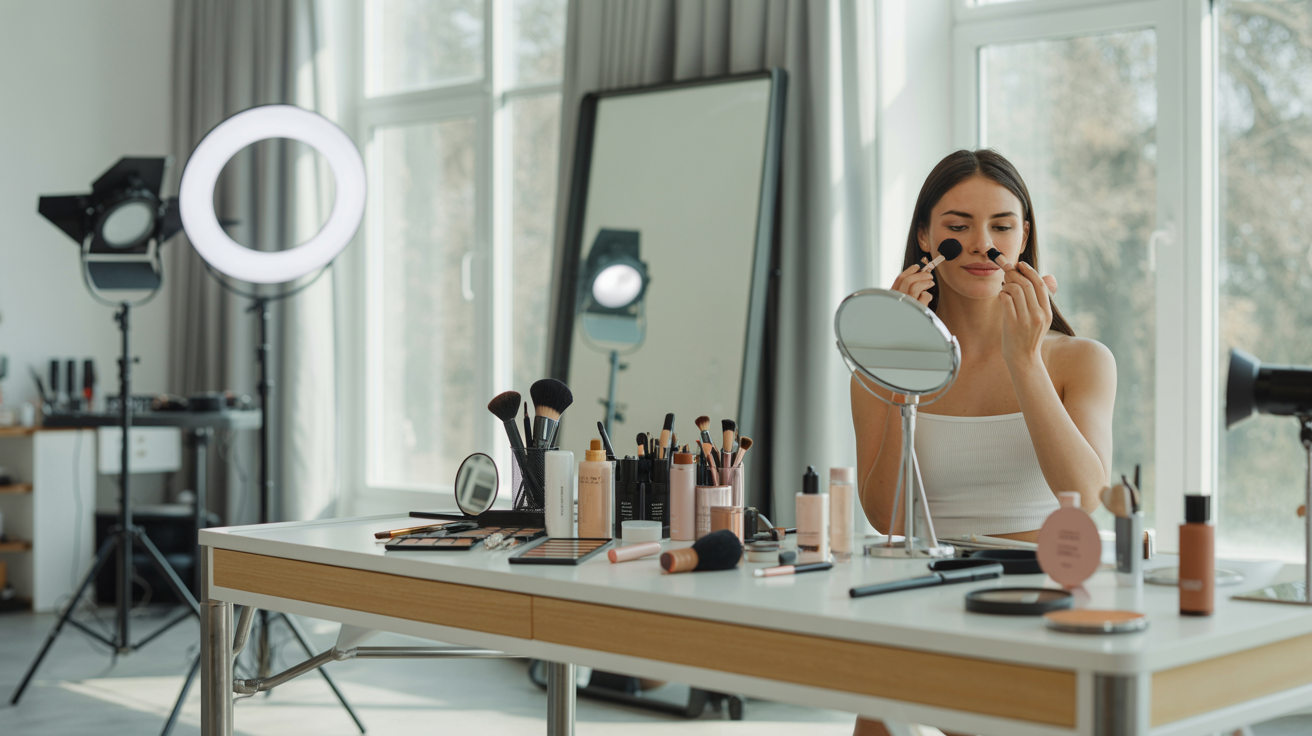
The simplest lighting setup for a great profile photo: face a window with natural daylight. Position yourself so the light is coming from in front of you (not from behind, which creates a silhouette). This produces soft, even, flattering light that works for any skin tone and any face shape. If natural light isn't available, a ring light positioned at eye level produces similar results.
Avoid: overhead lighting (creates harsh shadows under eyes and nose), direct flash (flattens features and creates harsh highlights), and backlighting (creates silhouettes).
Choose a Simple, Uncluttered Background
Your background should support your face, not compete with it. A simple, uncluttered background — a plain wall, a blurred outdoor setting, a clean office environment — keeps the focus where it belongs: on you. Busy, distracting backgrounds pull the viewer's eye away from your face and make the image feel chaotic.
For most profile photos, a slightly blurred background (achieved by shooting with a wide aperture or using portrait mode on a smartphone) works beautifully. It creates a sense of depth and dimension while keeping the background from competing with the subject.
Dress for Your Audience
Your outfit in your profile photo should reflect the expectations of your target audience on that platform. This doesn't mean you need to wear a suit — it means your clothing should feel appropriate and intentional for the context. A fitness coach's profile photo might feature athletic wear; a creative director's might feature a stylish, expressive outfit; a financial advisor's might feature business professional attire.
The key is alignment: your outfit should match the professional identity you're projecting and the audience you're trying to reach. When in doubt, err slightly more formal than you think necessary — it's easier to seem approachable in a polished photo than to seem credible in a casual one.
Smile (Genuinely)
A genuine smile — one that reaches your eyes — is one of the most powerful tools in a profile photo. It communicates warmth, approachability, and confidence simultaneously. Research consistently shows that smiling faces are rated as more trustworthy, more likable, and more competent than neutral or serious expressions.
The key word is "genuine." A forced smile looks forced in photos, and viewers pick up on the inauthenticity even if they can't articulate why. To produce a genuine smile, think of something that actually makes you happy — a person you love, a moment you're proud of, something funny — right before the photo is taken. The difference between a genuine and a forced smile is immediately visible in the eyes.
Want a profile photo that makes the right impression on every platform? Glowup's AI photo platform transforms your photos into polished, professional images — perfect for LinkedIn, Instagram, and beyond. Try it free at glowuplab.app.
LinkedIn Profile Photos: Professional, Approachable, and Trustworthy
LinkedIn is the world's largest professional network, and its profile photo expectations are distinct from every other platform. LinkedIn audiences are evaluating you through a professional lens — they're asking whether you look competent, credible, and like someone they'd want to work with or hire.
What LinkedIn Audiences Expect
LinkedIn profile photos should feel professional without being stiff. The sweet spot is "polished and approachable" — you look like someone who takes their work seriously and is also pleasant to interact with. Think of the impression you'd want to make walking into an important meeting: put-together, confident, and warm.
This doesn't require a formal studio headshot (though those work well). A well-lit photo in professional attire against a clean background can be just as effective. What matters most is that the photo looks intentional — not like a cropped party photo or a casual selfie.
Technical Specifications
LinkedIn displays profile photos at 400x400 pixels minimum, but recommends uploading at 400x400 to 7680x4320 pixels. The photo is displayed as a circle, so make sure your face is centered and there's enough space around it that the circular crop doesn't cut off the top of your head or your chin.
Attire and Background Guidance
For most LinkedIn users, business casual to business professional attire is appropriate. The specific choice depends on your industry and role — a creative professional has more latitude than a financial services professional, for example. When in doubt, choose attire that's one level more formal than your typical workday.
Background options that work well on LinkedIn: a plain wall in a neutral color, a blurred office or workspace environment, an outdoor setting with a clean, uncluttered background. Avoid home backgrounds that look casual or cluttered — they undermine the professional impression you're trying to create.
The Headshot vs. Lifestyle Photo Question
For most LinkedIn users, a traditional headshot (face and shoulders, looking directly at the camera) is the strongest choice. It's clear, professional, and immediately communicates that you take your professional presence seriously.
Lifestyle photos — showing you in action, at a speaking engagement, or in your work environment — can work well as secondary images in your LinkedIn featured section, but the profile photo itself should be a clear, direct headshot. The profile photo is too small and too important to use for storytelling — save that for your content.
Instagram Profile Photos: Recognizable at Tiny Size
Instagram presents a unique challenge: your profile photo is displayed at just 110x110 pixels on mobile — a tiny circle that needs to communicate your identity instantly. At this size, detail is lost, complex backgrounds become noise, and subtle expressions disappear. Your Instagram profile photo needs to work at thumbnail scale.
The Tiny Circle Challenge
The most common Instagram profile photo mistake is choosing an image that looks great at full size but becomes unrecognizable when shrunk to 110 pixels. A photo with a complex background, multiple people, or a face that's small in the frame will look like an indistinct blob at Instagram's display size.
The solution: choose a photo where your face fills most of the frame. A tight crop — face and upper shoulders — ensures that your face remains recognizable even at the smallest display sizes. High contrast between your face and the background also helps with recognition at small sizes.
Personal Brands vs. Business Accounts
For personal brands and content creators, a face photo is almost always the right choice for Instagram. Your face is your brand — it's what your audience connects with and recognizes. A logo or abstract image creates distance between you and your audience that works against the personal connection that drives Instagram engagement.
For business accounts, the calculus is different. If your business has strong brand recognition and a distinctive logo, using the logo as your profile photo makes sense — it reinforces brand identity and makes your account immediately recognizable to existing customers. If your business is newer or less established, a photo of the founder or team can be more effective at building the human connection that drives follows and engagement.
Color and Contrast for Small Display
At Instagram's tiny display size, color and contrast become your primary recognition tools. A profile photo with strong contrast between the subject and background — a light face against a dark background, or vice versa — remains recognizable even at very small sizes. Muted, low-contrast images tend to disappear at thumbnail scale.
Consider your Instagram feed's color palette when choosing your profile photo. If your feed has a warm, earthy aesthetic, a profile photo with similar tones creates visual cohesion. If your feed is bright and colorful, a profile photo with similar energy feels consistent.
TikTok Profile Photos: Energy, Personality, and Niche Signals
TikTok's culture is more casual, energetic, and personality-driven than LinkedIn or even Instagram. TikTok audiences are looking for creators they find entertaining, relatable, or genuinely expert — and your profile photo should signal which of those you are.
What TikTok Audiences Respond To
TikTok profile photos that perform well tend to have energy and personality. A genuine, expressive smile, a distinctive look, or an image that hints at your content niche all work well. Overly formal or stiff photos can feel out of place on a platform known for authenticity and spontaneity.
That said, "casual" doesn't mean "low quality." A well-lit, clear photo with a genuine expression will always outperform a blurry, poorly lit selfie — even on TikTok. The goal is to look like yourself at your best, not to look like you tried too hard.
Niche Signaling in Your Profile Photo
TikTok audiences often make follow decisions based on whether a creator seems relevant to their interests. Your profile photo can help signal your niche — a chef might be photographed in a kitchen setting, a fitness creator in athletic wear, a business creator in a professional environment. These visual cues help potential followers quickly assess whether your content is for them.
This doesn't mean you need a prop or a costume — a simple, well-lit face photo works perfectly well. But if there's a natural way to incorporate a visual niche signal without it looking forced, it can help attract the right audience.
Consistency with Your Content Style
Your TikTok profile photo should feel consistent with the style and energy of your content. If your videos are high-energy and expressive, a dynamic, smiling photo fits. If your content is calm and educational, a more composed, approachable expression works better. Consistency between your profile photo and your content style creates a coherent brand impression that makes new visitors more likely to follow.
Facebook Profile Photos: Community, Warmth, and Approachability
Facebook's culture is more community-oriented and personal than LinkedIn or TikTok. Whether you're using Facebook for a personal profile, a business page, or a community group, warmth and approachability are the primary qualities to project.
Personal Profiles vs. Business Pages
For personal Facebook profiles, your profile photo should feel genuine and warm — a photo that represents how you actually look and the impression you want to make on friends, family, and professional contacts who might find you on the platform. A natural, smiling photo in a casual-to-smart-casual setting works well for most personal profiles.
For Facebook business pages, the profile photo is typically a logo for established brands, or a professional headshot of the founder/owner for newer or smaller businesses. The key is consistency with your other brand assets — your Facebook profile photo should feel like it belongs to the same brand as your website, your other social profiles, and your marketing materials.
Warmth and Relatability for Local Businesses
For local businesses — restaurants, retail shops, service providers, studios — Facebook is often a primary discovery and community platform. Profile photos for local business pages should communicate warmth, approachability, and local authenticity. A photo of the owner or team, rather than a generic logo, can be particularly effective for local businesses where personal relationships and community trust are important.
Twitter/X Profile Photos: Authority and Thought Leadership
Twitter/X has evolved into a platform for real-time conversation, news, and thought leadership. Profile photos on Twitter/X should communicate credibility and authority while remaining approachable enough to invite engagement.
The Professional-to-Casual Spectrum
Twitter/X accommodates a wider range of profile photo styles than LinkedIn, from formal professional headshots to casual, personality-driven photos. Where you fall on this spectrum should depend on how you use the platform and what impression you want to make.
If you use Twitter/X primarily for professional networking, industry commentary, or thought leadership, a professional headshot similar to your LinkedIn photo is appropriate. If you use it for more casual engagement, community building, or personal brand content, a warmer, more casual photo can work well.
Brand Consistency for Business Accounts
For business accounts on Twitter/X, logo consistency is important — your Twitter/X profile photo should match your logo as it appears on other platforms and your website. This consistency reinforces brand recognition and makes your account immediately identifiable to existing customers and followers.
Small Business Profile Photo Strategy: Face vs. Logo
One of the most common questions small business owners face is whether to use a personal photo or a logo as their social media profile photo. The answer depends on the platform, the size and recognition of your brand, and the nature of your business.
The Trust Argument for Faces
Research consistently shows that people trust faces more than logos, particularly for smaller or newer businesses. A face communicates that there's a real person behind the business — someone accountable, approachable, and invested in their customers' experience. For small businesses where personal relationships and trust are central to the value proposition, a founder or owner photo can be significantly more effective than a logo.
This is particularly true on platforms where personal connection is the primary currency — Instagram, TikTok, and Facebook. On these platforms, a face photo often outperforms a logo for engagement, follows, and the kind of community-building that drives long-term business growth.
When Logos Make Sense
Logos make sense as profile photos when your brand has strong recognition — when people already know your logo and associate it with your products or services. For established brands, logo consistency across platforms reinforces brand identity and makes your accounts immediately recognizable.
Logos also make sense on platforms where professional credibility is the primary goal, like LinkedIn company pages, where a polished logo signals organizational legitimacy.
The Hybrid Approach
Many successful small business owners use a hybrid approach: a personal photo on platforms where personal connection matters (Instagram, TikTok, personal LinkedIn), and a logo on platforms where brand identity is the priority (LinkedIn company page, Twitter/X business account, Facebook business page). This approach maximizes the benefits of both — personal trust where it matters most, brand consistency where it's most valuable.
How Often Should You Update Your Profile Photos?
Profile photos shouldn't change constantly — consistency is part of their value. But they also shouldn't stay the same forever. Here's how to think about when to update.
Signs It's Time for a Refresh
Your photo is more than 2-3 years old. If your profile photo no longer looks like you — different hair, significant style change, or simply the natural changes that come with time — it's time for an update. A photo that doesn't match your current appearance creates a jarring disconnect when people meet you in person or on video calls.
Your brand has evolved. If your professional identity, business focus, or target audience has shifted significantly, your profile photo should reflect the new direction. A photo that made sense for your old brand may send the wrong signals for your new one.
Your photo quality is noticeably lower than your content. If your content has become more polished and professional over time but your profile photo is still a casual selfie from three years ago, the mismatch undermines your overall brand impression.
You're entering a new professional phase. Starting a new business, launching a new service, entering a new industry, or making a significant career transition are all good reasons to refresh your profile photo to signal the new chapter.
Updating Consistently Across Platforms
When you update your profile photo, update it across all your active platforms at the same time. Inconsistency — a new photo on LinkedIn but an old one on Instagram — creates a fragmented brand impression and can confuse people who find you on multiple platforms.
Keep a folder of your current profile photos (in the correct dimensions for each platform) so you can update quickly and consistently when the time comes.
Making the Most of Your Update
When you update your profile photo, treat it as a content opportunity. A "new look" post — sharing your new profile photo and the story behind it — can generate significant engagement and introduce your refreshed brand to your audience. It's also a natural opportunity to cross-promote your presence across platforms.
For professionals and small business owners who want consistently polished profile photos without the cost and logistics of frequent professional photoshoots, AI photo platforms like Glowup offer a practical solution. Upload a well-lit photo and let AI enhancement produce a professional-quality result — suitable for LinkedIn, Instagram, and every platform in between.
Conclusion: Your Profile Photo Is Worth Getting Right
Your profile photo is working for you — or against you — every single day. Every comment, every message, every search result, every piece of content you publish is accompanied by that small circle of pixels. The impression it makes is immediate, largely unconscious, and remarkably durable.
The good news is that getting your profile photo right doesn't require a professional photoshoot or a significant investment. It requires understanding what each platform's audience expects, applying the universal principles of good lighting and genuine expression, and choosing an image that authentically represents who you are and what you offer.
For individuals, the goal is a photo that communicates your personality, competence, and approachability — one that makes people want to connect with you, follow you, and engage with your content. For small business owners, the goal is a photo (or logo) that builds trust, reinforces brand identity, and makes your business feel real, credible, and worth engaging with.
And when you're ready to take your profile photos to the next level — to transform a good photo into a genuinely great one — AI photo enhancement can bridge the gap between what your phone captures and what a professional photographer produces.
Start your free trial at Glowup — the AI photo platform for professionals, entrepreneurs, content creators, and small business owners who want professional-quality images for every platform, without the professional price tag.
Your profile photo is your most-viewed image. Make it count.