The camera you carry in your pocket is more powerful than the professional equipment photographers used just a decade ago. Modern smartphones—whether you're using the latest iPhone, Samsung Galaxy, Google Pixel, or other flagship device—pack incredible photographic capabilities that rival entry-level DSLRs. Yet most people barely scratch the surface of what their phone cameras can do, settling for mediocre snapshots when they could be creating professional-quality images.
In 2026, high-quality visual content isn't optional—it's essential. Social media creators need constant streams of engaging photos. Small business owners require professional product images and marketing visuals. Professionals building personal brands depend on polished headshots and lifestyle content. Entrepreneurs need to document their journey and showcase their work. Whether you're posting on Instagram, updating your LinkedIn profile, photographing products for your online store, or creating content for your website, the quality of your photos directly impacts your success.
The best part? You don't need expensive camera equipment, professional lighting setups, or years of photography training. Your smartphone, combined with the right techniques and knowledge, is all you need to create images that look professionally shot. This comprehensive guide will teach you everything from camera settings and lighting fundamentals to composition techniques and professional editing. You'll learn how to photograph portraits, products, and content that elevates your social media, personal brand, or small business marketing.
By the end of this guide, you'll understand how to maximize your smartphone's camera capabilities, avoid common mistakes that make photos look amateur, and create consistently professional results. Let's transform your phone from a casual snapshot tool into a professional photography powerhouse.
Why Smartphone Photography Matters in 2026
The digital landscape has fundamentally changed how we communicate, market, and build our professional identities. Visual content dominates every platform—Instagram, LinkedIn, Facebook, TikTok, Pinterest, and countless others. The quality of your photos directly influences how people perceive you, your brand, and your business.
For social media creators and influencers, professional-quality photos are the foundation of growth and engagement. Algorithms favor high-quality visual content, and audiences scroll past amateur-looking images without a second glance. The difference between a photo that gets 50 likes and one that gets 5,000 often comes down to technical quality and visual appeal—both achievable with smartphone photography skills.
Small business owners face constant pressure to produce marketing visuals. Product photos for ecommerce sites, social media content, email marketing images, and promotional materials all require professional-looking photography. Hiring photographers for every need is prohibitively expensive, but smartphone photography skills enable you to create professional content on demand, saving thousands of dollars annually while maintaining complete creative control.
Personal branding has become essential across industries. Whether you're a consultant, freelancer, executive, or professional in any field, your online presence shapes opportunities. Professional headshots, lifestyle images, and content that showcases your expertise all depend on quality photography. Your smartphone enables you to maintain a current, professional visual presence without the hassle and expense of regular professional photoshoots.
The technology itself has reached a tipping point. Modern smartphone cameras feature multiple lenses, computational photography that rivals professional editing, advanced sensors that perform well in low light, and AI-powered features that automatically optimize images. The iPhone 15 Pro, Samsung Galaxy S24, and Google Pixel 8 produce images that, in many scenarios, match or exceed what entry-level DSLRs can achieve. The limiting factor is no longer the equipment—it's the photographer's knowledge and technique.
Convenience and accessibility make smartphones the obvious choice for most photography needs. Your phone is always with you, ready to capture opportunities as they arise. There's no heavy equipment to carry, no complex setup required, and no technical barriers preventing you from taking the shot. This accessibility means you can create content consistently, building a robust library of professional images over time.
The cost-effectiveness is undeniable. A professional DSLR setup with lenses, lighting, and accessories can easily cost $3,000-10,000. Professional photography services charge $200-500 per session. Your smartphone, which you already own, combined with free or inexpensive apps and accessories, enables professional-quality photography for essentially no additional investment. The return on learning smartphone photography skills is enormous.
Understanding Your Smartphone Camera: Settings and Features
Before you can master smartphone photography, you need to understand the tools at your disposal. Modern phone cameras pack sophisticated features that most users never explore, leaving significant capabilities untapped.
Camera App Basics
Your phone's native camera app includes essential tools that dramatically improve your photos when used correctly. The grid lines feature, usually found in settings, overlays a 3x3 grid on your screen. This grid is crucial for composition, helping you apply the rule of thirds and ensure your horizons are level. Enable this feature and leave it on—it's one of the simplest ways to improve your photos immediately.
Focus and exposure control are separate but related functions. On most smartphones, tapping the screen sets the focus point—the area that will be sharpest in your image. This is crucial for portraits, where you want eyes in sharp focus, and for products, where you want to highlight specific details. Many phones also let you adjust exposure by swiping up or down after tapping to focus, brightening or darkening the image. Mastering manual focus and exposure control gives you creative control over your images rather than relying on the camera's automatic decisions.
The timer function is underutilized but invaluable. Setting a 3 or 10-second timer eliminates camera shake from pressing the shutter button, resulting in sharper images. It's essential for selfies, group photos, and any situation where you want to be in the frame. Combined with a small tripod or stable surface, the timer transforms your phone into a hands-free professional camera.
Portrait Mode and Depth Effects
Portrait mode, available on most modern smartphones, uses computational photography to create background blur (bokeh) that mimics professional cameras with wide-aperture lenses. This feature can create stunning portraits with the subject in sharp focus against a beautifully blurred background.
However, portrait mode has limitations you need to understand. It works best with clear separation between subject and background—a person standing several feet in front of a wall or outdoor background. It struggles with complex edges like hair, glasses, or intricate details, sometimes creating unnatural-looking blur transitions. It also typically requires good lighting to work effectively.
Use portrait mode for headshots, professional photos, and portraits where you want the subject to stand out dramatically. Avoid it for group photos (unless your phone specifically supports multiple-subject portrait mode), photos where background context is important, or situations with poor lighting where the effect looks artificial.
Many phones let you adjust the blur intensity after taking the photo, allowing you to fine-tune the effect. Subtle blur often looks more natural than maximum blur—experiment to find what works for your specific image.
HDR (High Dynamic Range)
HDR is one of the most powerful features in smartphone photography, yet many people don't understand what it does or when to use it. HDR takes multiple exposures of the same scene—one properly exposed, one underexposed (capturing highlight detail), and one overexposed (capturing shadow detail)—then combines them into a single image with detail in both bright and dark areas.
Use HDR for high-contrast scenes where you want detail in both bright skies and darker foregrounds, backlit subjects where the background is much brighter than the subject, and indoor scenes with bright windows. HDR prevents blown-out skies and completely black shadows, creating more balanced, professional-looking images.
Avoid HDR for moving subjects (the multiple exposures can create ghosting), very low-light scenes (it can increase noise), and situations where you want dramatic contrast rather than balanced exposure. Most modern phones have "Auto HDR" that intelligently applies the effect when beneficial—this is usually a good default setting.
Night Mode
Night mode is a game-changer for low-light photography. Using computational photography and longer exposures, night mode captures significantly more light than standard photo mode, producing clear, detailed images in conditions that would have been impossible for smartphone cameras just a few years ago.
When you activate night mode (it often turns on automatically in low light), your phone will indicate how long you need to hold still—typically 1-5 seconds depending on available light. Keeping your phone steady during this exposure is crucial; even slight movement creates blur. Use a tripod, brace your phone against a stable surface, or hold it very steady with both hands.
Night mode works brilliantly for evening cityscapes, indoor events with ambient lighting, restaurant and bar settings, and any low-light situation where you want to avoid flash. The results are dramatically better than using flash, which creates harsh, unflattering light and washes out subjects.
RAW vs JPEG
Most smartphones can shoot in RAW format, which captures all the data from the camera sensor without compression or processing. This gives you maximum flexibility in editing but creates much larger files and requires more advanced editing skills.
JPEG is the standard format that applies in-camera processing, compression, and optimization. Files are smaller, immediately shareable, and look good straight out of the camera. For most smartphone photography—social media content, product photos, general use—JPEG is the right choice.
Consider shooting RAW only if you plan to do significant editing, need maximum quality for professional use, or are photographing in challenging lighting conditions where you'll need to recover detail in post-processing. For everyday photography, JPEG's convenience and quality are more than sufficient.
Third-Party Camera Apps
While your phone's native camera app is excellent, third-party apps offer advanced controls that appeal to photography enthusiasts. Apps like Halide (iOS), ProCamera (iOS), and Camera FV-5 (Android) provide manual control over shutter speed, ISO, white balance, and focus—similar to professional cameras.
These apps are valuable when you need precise control beyond what the native app offers. However, they have a learning curve and aren't necessary for most smartphone photography. Start with your native camera app, master its features, and only explore third-party apps if you find yourself limited by the built-in options.
Resolution Settings
Your phone likely offers multiple resolution settings, from maximum quality to optimized sizes. For most uses, the highest quality setting is best—storage is cheap, and you can always downsize images later, but you can't add resolution to a low-quality image.
However, if you're shooting hundreds of photos and storage is a concern, or if you're creating content exclusively for social media where platforms compress images anyway, medium-quality settings can save space without noticeable quality loss. The key is being intentional about your choice rather than leaving it on a default setting you've never considered.
Mastering Lighting: The Most Important Element
Professional photographers often say that photography is "painting with light," and nowhere is this more true than in smartphone photography. Your phone's camera, despite its sophistication, is limited by physics—it needs light to create images. Understanding and controlling light is the single most important skill for transforming your smartphone photos from amateur to professional.
Natural Light: Your Best Friend
Natural light is almost always superior to artificial light for smartphone photography. It's free, abundant, and creates the most flattering, natural-looking images. The key is understanding when and how to use it.
Window light is the secret weapon of professional photographers and should be yours too. Position yourself or your subject near a large window, with the light illuminating from the side or front. This creates soft, even lighting that's incredibly flattering for portraits and perfect for product photography. The larger the window, the softer and more diffused the light becomes.
On overcast days, the entire sky becomes a giant softbox, creating beautifully even, diffused light perfect for photography. Contrary to what many people think, overcast days are often better for photography than bright sunny days. The soft light eliminates harsh shadows, reduces squinting in portraits, and creates even illumination across your subject.
Golden hour—the hour after sunrise and before sunset—provides warm, directional light that adds dimension and beauty to photos. The low angle of the sun creates long shadows, warm color tones, and a magical quality that's impossible to replicate with artificial light. If you're serious about creating stunning photos, wake up early or shoot in the evening during golden hour.
Open shade—areas shaded from direct sunlight but still receiving plenty of ambient light—provides excellent conditions for portraits and product photography. Think of the shaded side of a building on a sunny day, or under a tree canopy. You get plenty of light without the harsh shadows and contrast of direct sun.
Avoiding Bad Light
Understanding what light to avoid is as important as knowing what light to seek. Harsh midday sun creates strong shadows under eyes, noses, and chins in portraits, and creates extreme contrast that's difficult for smartphone cameras to handle. If you must shoot in midday sun, move to open shade or use the sun as a backlight rather than front light.
Overhead fluorescent lights, common in offices and stores, create unflattering shadows and often have a greenish color cast that makes skin tones look sickly. When shooting indoors, position yourself near windows rather than relying on overhead lights.
Mixed lighting—combining different types of light sources like daylight from windows and tungsten from lamps—creates color temperature conflicts that make images look unnatural. Your camera can't properly white balance when multiple color temperatures are present. Choose one dominant light source and minimize others.
Direction of Light
The direction light comes from dramatically affects how your subject appears. Front lighting—light coming from behind the camera toward the subject—creates even illumination with minimal shadows. It's flattering for portraits and ideal for product photography where you want to show details clearly.
Side lighting—light coming from the left or right—creates dimension and texture by casting shadows that reveal form and depth. It's excellent for adding drama to portraits and showing texture in products. The shadows create a three-dimensional quality that makes images more interesting.
Backlighting—light coming from behind the subject—is tricky but can create stunning effects. It can create a glowing rim light around subjects, silhouettes for artistic effect, or soft, dreamy images when used with exposure compensation. However, it requires careful exposure control to prevent your subject from becoming too dark.
Using Reflectors
Reflectors bounce light back onto your subject, filling in shadows and creating more even illumination. Professional reflectors are inexpensive, but you can create effective DIY reflectors with materials you already have.
A white poster board, foam core board, or even a white bedsheet reflects soft, neutral light that fills shadows without creating harsh highlights. Position it opposite your main light source to bounce light back onto the shadowed side of your subject.
Aluminum foil crumpled and then smoothed out creates a more specular (shiny) reflector that bounces stronger light. This is useful when you need more fill light or want to create catchlights in eyes for portraits.
Even a white wall or ceiling can act as a reflector, bouncing ambient light onto your subject. When shooting indoors, position subjects near white walls to benefit from this natural fill light.
When to Use Flash (Rarely)
The built-in flash on smartphones is harsh, unflattering, and should be avoided in almost all situations. It creates flat, washed-out images with harsh shadows and red-eye in portraits. Night mode produces far better results in low light than flash ever will.
The only time to consider using flash is when you absolutely need a photo in very dark conditions and have no other option, or when using it as subtle fill light in bright outdoor conditions to fill harsh shadows (though this is advanced and often doesn't work well with smartphone flashes).
If you must use flash, try to diffuse it by placing a small piece of white tissue or translucent tape over the flash to soften the light. Better yet, avoid situations where you'd need flash by planning to shoot in better lighting conditions.
Consistent Lighting for Series
If you're creating a series of photos—product catalog, social media content series, or any collection that should look cohesive—maintaining consistent lighting is crucial. Shoot all images in the same location at the same time of day, or create a controlled setup with consistent window light or artificial lighting.
This consistency creates a professional, intentional look across your content. Viewers unconsciously recognize when images in a series have matching lighting, color temperature, and quality, which reinforces your brand and professionalism.
> Want to take your smartphone photos to the next level? Glowup's AI platform enhances your phone photos with professional-quality editing, perfect backgrounds, and studio-quality lighting—all in minutes. Transform good photos into great ones effortlessly.
Composition Techniques That Transform Your Photos
Composition—how you arrange elements within your frame—separates amateur snapshots from professional-looking images. Good composition guides the viewer's eye, creates visual interest, and communicates your intended message. These fundamental techniques work for portraits, products, landscapes, and any type of photography.
Rule of Thirds
The rule of thirds is the most fundamental composition principle in photography. Imagine your frame divided into a 3x3 grid (which is why you enabled grid lines in your camera settings). Instead of centering your subject, position it along these grid lines or at the intersections where lines meet.
For portraits, position eyes along the top horizontal line, roughly one-third down from the top of the frame. This creates a balanced, natural-looking composition that's more interesting than a centered subject. For landscapes, position the horizon along either the top or bottom horizontal line rather than in the middle—top line if you want to emphasize the foreground, bottom line if the sky is more interesting.
The intersections where grid lines meet are "power points" where the eye naturally gravitates. Positioning your main subject at one of these intersections creates strong, engaging compositions. This works for everything from portraits to product photography to architectural shots.
Leading Lines
Leading lines are elements within your image that guide the viewer's eye toward your subject or through the frame. Roads, fences, rivers, architectural elements, shadows, or any linear feature can serve as leading lines.
Use leading lines to create depth and draw attention to your subject. A path leading to a person, a fence line directing the eye toward a building, or converging lines creating perspective all make images more dynamic and engaging. Look for natural leading lines in your environment and position yourself to incorporate them into your composition.
Diagonal lines are particularly powerful, creating energy and movement in images. Horizontal lines suggest calm and stability, while vertical lines convey strength and height. Being aware of the psychological impact of different line orientations helps you compose images that communicate your intended feeling.
Framing
Framing uses elements within the scene to create a "frame" around your subject, drawing attention and adding context. Doorways, windows, archways, tree branches, or any environmental element can frame your subject.
Natural frames add depth to images by creating foreground, middle ground, and background layers. They also provide context and tell a story about the environment. A person framed by a doorway, a product framed by hands, or a landscape framed by tree branches all create more interesting, layered compositions than simple, unframed subjects.
Look for framing opportunities in your environment. Sometimes moving just a few feet or changing your angle reveals framing elements that transform a basic shot into something special.
Symmetry and Patterns
Symmetry creates visually pleasing, harmonious images that appeal to our innate sense of balance. Architectural photography often uses symmetry—centered compositions of buildings, reflections in water, or perfectly balanced elements.
Patterns—repeating elements like windows on a building, rows of products, or natural repetition—create visual interest and rhythm. Breaking a pattern with a contrasting element (one different colored item in a row of identical objects) creates a focal point that draws the eye.
Use symmetry and patterns intentionally. They work well for architectural photography, product layouts, and situations where you want to convey order, precision, or harmony. However, too much symmetry can feel static, so balance it with other compositional techniques.
Negative Space
Negative space is the empty area around your subject. Rather than filling the frame completely, leaving significant negative space creates a minimalist, sophisticated look that emphasizes your subject.
Negative space gives your subject "room to breathe" and creates a clean, uncluttered aesthetic popular in modern design and social media. It's particularly effective for product photography, where you want the product to be the clear focal point, and for portraits where you want to convey isolation, contemplation, or simplicity.
Don't be afraid of empty space in your images. A subject occupying only 20-30% of the frame, surrounded by clean negative space, often creates more impact than a tightly cropped, frame-filling composition.
Perspective and Angles
Most people photograph everything from eye level, creating predictable, boring images. Changing your perspective—shooting from high above, down low, or at unusual angles—instantly makes photos more interesting.
Low angles (shooting from below looking up) make subjects appear larger, more powerful, or more dramatic. This works well for architecture, portraits where you want to convey strength or confidence, and creative product photography.
High angles (shooting from above looking down) create a bird's-eye view that's popular for flat-lay photography, food photography, and showing spatial relationships. Overhead shots are Instagram favorites for their unique perspective.
Eye-level angles work well for portraits and situations where you want a natural, relatable perspective. However, even at eye level, moving around your subject to find the most flattering or interesting angle makes a significant difference.
Don't be afraid to get low, climb high, or move around your subject. The best angle is often not the first one you see.
Depth and Layers
Creating a sense of depth in two-dimensional photos makes them more engaging and realistic. Include foreground, middle ground, and background elements to create layers that guide the eye through the image.
For landscapes, include something in the foreground (rocks, flowers, a fence) to create depth and scale. For portraits, positioning the subject away from the background and using a wider aperture (or portrait mode) creates separation through focus and blur. For product photography, including contextual elements at different distances creates a more interesting, dimensional image than a flat, single-plane composition.
Think in three dimensions even though your final image is two-dimensional. How can you arrange elements at different distances to create depth and visual interest?
Portrait and Selfie Photography with Your Phone
Portraits—whether of yourself or others—are among the most common and important types of smartphone photography. Whether you're creating professional headshots, social media content, or personal photos, understanding portrait-specific techniques elevates your results dramatically.
Optimal Distance from Subject
Distance from your subject affects how they appear in the final image due to perspective distortion. Too close (less than 3 feet), and wide-angle smartphone lenses create unflattering distortion—faces appear wider, noses look larger, and proportions seem off.
The ideal distance for portraits is 4-6 feet from your subject. This creates natural, flattering proportions that match how we see faces in person. If you need a tighter crop, shoot from the optimal distance and crop in editing rather than moving closer.
For full-body portraits, 8-12 feet creates good proportions and allows you to capture the entire person with environmental context. For headshots, 4-5 feet is ideal—close enough to capture facial details but far enough to avoid distortion.
Portrait Mode: When It Works Well
Portrait mode creates beautiful background blur that makes subjects stand out, but it works best under specific conditions. Use portrait mode when you have clear separation between subject and background (at least 3-4 feet), good lighting (portrait mode struggles in low light), and simple backgrounds without complex edges.
Portrait mode works brilliantly for professional headshots, social media portraits, and any situation where you want the subject to be the clear focal point. The background blur mimics expensive professional cameras and creates a polished, professional look.
However, avoid portrait mode for group photos (unless your phone specifically supports it), photos where background context is important, or situations with poor lighting where the effect looks artificial or creates obvious errors around hair and edges.
Facial Angles and Flattering Perspectives
Not all angles are equally flattering for portraits. Shooting from slightly above eye level (camera positioned 6-12 inches above the subject's eyes) is universally flattering—it defines the jawline, makes eyes appear larger, and creates a slimming effect.
Shooting from below (camera below eye level looking up) can create unflattering double chins and nostril visibility. Avoid this angle unless you're intentionally creating a dramatic or powerful effect.
The "three-quarter view"—subject turned about 45 degrees from the camera rather than facing straight on—is often more flattering than straight-on shots. It creates dimension, defines facial structure, and is generally more interesting than a direct, passport-style photo.
Encourage subjects to extend their neck slightly forward and down (like a turtle extending its head). This defines the jawline and eliminates double chins. It feels awkward but looks great in photos.
Expression and Engagement
Genuine expressions create engaging portraits. Forced smiles look fake and uncomfortable. Instead of saying "smile," ask subjects to think about something that makes them happy, tell a joke, or engage in conversation while you shoot. Candid moments captured during genuine interaction often produce the best expressions.
For professional headshots, a slight smile with warmth in the eyes creates approachability while maintaining professionalism. A serious expression can work for certain industries or personal brands but risks appearing unapproachable or stern.
Eye contact with the camera creates connection and engagement. Ensure subjects look directly at the lens, not at the screen or slightly off-camera. This creates the impression of direct eye contact with anyone viewing the photo.
Hand and Body Positioning
Hands can be awkward in portraits if not positioned intentionally. For headshots, hands are often out of frame, eliminating the problem. For three-quarter or full-body portraits, give hands something to do—hold an object, rest in pockets (thumb out), touch face gently, or rest naturally at sides.
Avoid stiff, straight-on body positioning. Turning the body slightly (even if the face is toward the camera) creates a more flattering, dynamic pose. Weight shifted to one leg rather than evenly distributed creates more natural, relaxed posture.
For seated portraits, leaning slightly forward toward the camera creates engagement and prevents slouching. Posture matters—straight spine, shoulders back, chin slightly forward creates confidence and presence.
Background Selection and Blur
Simple, uncluttered backgrounds keep focus on your subject. Look for plain walls, soft gradients, or softly blurred environmental contexts. Avoid busy backgrounds with multiple elements, bright colors, or distracting details that compete with your subject.
If you can't find a clean background, use portrait mode to blur it, or position your subject far from the background so it naturally falls out of focus. Even without portrait mode, distance between subject and background creates some natural blur.
Consider background color and how it complements your subject. Neutral backgrounds (white, gray, beige) work universally. Colored backgrounds can add personality but should complement rather than clash with your subject's clothing and skin tone.
Self-Timer and Remote Shutter for Better Selfies
Holding your phone at arm's length for selfies creates unflattering angles and limits your control. Instead, use a small tripod or prop your phone on a stable surface, use the self-timer, and position yourself at the optimal distance.
This approach eliminates the extended-arm look, allows you to use the higher-quality rear camera instead of the front-facing camera, and gives you control over angle, distance, and composition. The results are dramatically better than traditional arm's-length selfies.
Bluetooth remote shutters are inexpensive ($10-20) and allow you to trigger the camera without touching the phone, eliminating camera shake and giving you flexibility in timing. They're invaluable for self-portraits and group photos.
Product Photography for Small Businesses
For small business owners, entrepreneurs, and anyone selling products online, professional product photography directly impacts sales. High-quality product images build trust, showcase details, and make products appear more valuable. Your smartphone can create product photos that rival professional photography at a fraction of the cost.
Clean Background Setup
Clean, simple backgrounds are essential for product photography. A white or light gray background is the standard for ecommerce and marketplace listings because it keeps focus on the product and meets platform requirements (Amazon, eBay, and others often require white backgrounds for main images).
Create a DIY white backdrop using white poster board, foam core board, or a white bedsheet. Position it vertically behind your product and curve it down to create a seamless background (called a "sweep") that eliminates the visible line between vertical background and horizontal surface.
For lifestyle product photography, simple, neutral surfaces work well—a white table, wooden surface, or neutral-colored fabric. The key is avoiding clutter, patterns, or distracting elements that compete with your product.
Lighting for Products
Even, diffused lighting is crucial for product photography. Window light is ideal—position your product near a large window with soft, indirect light. The light should illuminate the product evenly without creating harsh shadows.
If one side of the product is too dark, use a white reflector (poster board or foam core) on the opposite side to bounce light back and fill shadows. This creates even illumination that shows product details clearly.
For small products, you can create a simple lightbox using a cardboard box, white paper, and desk lamps. Cut windows in the sides of the box, cover them with white paper to diffuse light, line the inside with white paper, and position lamps outside the windows. This creates soft, even lighting perfect for small product photography.
Multiple Angles
Show products from multiple angles to give customers a complete understanding of what they're buying. At minimum, include front view, back view, side view, and top view (if relevant). For products with important details, include close-up shots of those features.
Consistency across angles is important—maintain the same lighting, background, and distance for all angles of a single product. This creates a cohesive set of images that looks professional and intentional.
For products with multiple components or features, photograph each element. If a product comes in packaging, show both the packaged product and the product removed from packaging.
Detail Shots
Close-up detail shots showcase quality, texture, and features that aren't visible in full-product images. For clothing, show fabric texture and stitching quality. For electronics, show ports, buttons, and screen details. For handmade items, show craftsmanship details that justify your pricing.
Use your phone's macro mode (if available) or simply move close to capture fine details. Ensure these detail shots are well-lit and in sharp focus—they're meant to showcase quality, so technical excellence is crucial.
Lifestyle Context
Lifestyle images show products in use or in realistic settings, helping customers visualize the product in their own lives. A candle on a styled shelf, a mug being held with coffee, a piece of jewelry being worn—these contextual images create emotional connection and desire.
Lifestyle images don't need elaborate staging. Simple, authentic contexts work well—a product on a desk, in a kitchen, or in a hand. The goal is showing scale, use case, and how the product fits into daily life.
Consistency Across Product Catalog
If you're photographing multiple products, maintaining visual consistency creates a professional, cohesive catalog. Use the same background, lighting setup, distance, and angle for all products in a category.
This consistency makes your product pages look intentional and professional. Customers unconsciously recognize when a brand has cohesive visual identity, which builds trust and credibility.
Create a simple setup you can replicate easily—same window, same time of day, same background, same camera position. This makes batch photography efficient and ensures consistency.
Batch Photography Workflow
If you're photographing many products, develop an efficient workflow. Set up your background, lighting, and camera position once, then photograph all products in sequence without changing the setup.
Take multiple shots of each product—different angles, slight variations in positioning. It's easier to select the best shot later than to reshoot. Organize files immediately with clear naming conventions so you can find images easily later.
Edit all images from a session with consistent settings to maintain visual cohesion. If you adjust brightness on one product image, apply similar adjustments to all images from that session.
Content Creation for Social Media
Social media success depends heavily on visual content quality. Whether you're building a personal brand, growing a business, or creating content professionally, smartphone photography skills enable you to produce engaging content consistently.
Instagram-Optimized Photos
Instagram remains the most visually-focused social platform, making photo quality crucial. Instagram supports square (1:1), vertical (4:5), and landscape (1.91:1) formats, but vertical and square formats perform best in feeds and take up more screen space.
Shoot with Instagram in mind—leave space around your subject for different crop ratios, ensure key elements are visible even in square crops, and consider how images will appear in the small feed thumbnails. Bright, high-contrast images with clear focal points perform best.
Instagram Stories and Reels use vertical 9:16 format. When shooting content for Stories, hold your phone vertically and compose for that tall, narrow frame. Ensure important elements are in the center third of the frame to avoid being covered by text or interface elements.
Consistent Aesthetic
Developing a consistent visual aesthetic across your social media creates brand recognition and attracts followers. This doesn't mean every photo must look identical, but maintaining consistent elements—color palette, lighting style, composition approach, or subject matter—creates cohesion.
Choose 3-5 colors that represent your brand and incorporate them consistently. Maintain similar editing styles across images. Use consistent composition approaches. This visual consistency makes your content instantly recognizable in crowded feeds.
Plan your feed layout by considering how images appear together. Some creators plan 3, 6, or 9 images at a time to ensure the grid looks cohesive. While individual images should stand alone, considering the overall grid aesthetic creates a more professional presence.
Behind-the-Scenes Content
Authentic, behind-the-scenes content performs exceptionally well on social media. People want to see the process, the person behind the brand, and the reality behind polished final products.
Use your smartphone to capture candid moments, work-in-progress shots, and authentic glimpses into your process. These don't need to be as polished as your main content—authenticity is the goal. However, basic photography principles still apply—good lighting, clean composition, and intentional framing.
Behind-the-scenes content humanizes your brand, builds connection with your audience, and provides easy content that doesn't require elaborate setup or planning.
Flat Lay Photography
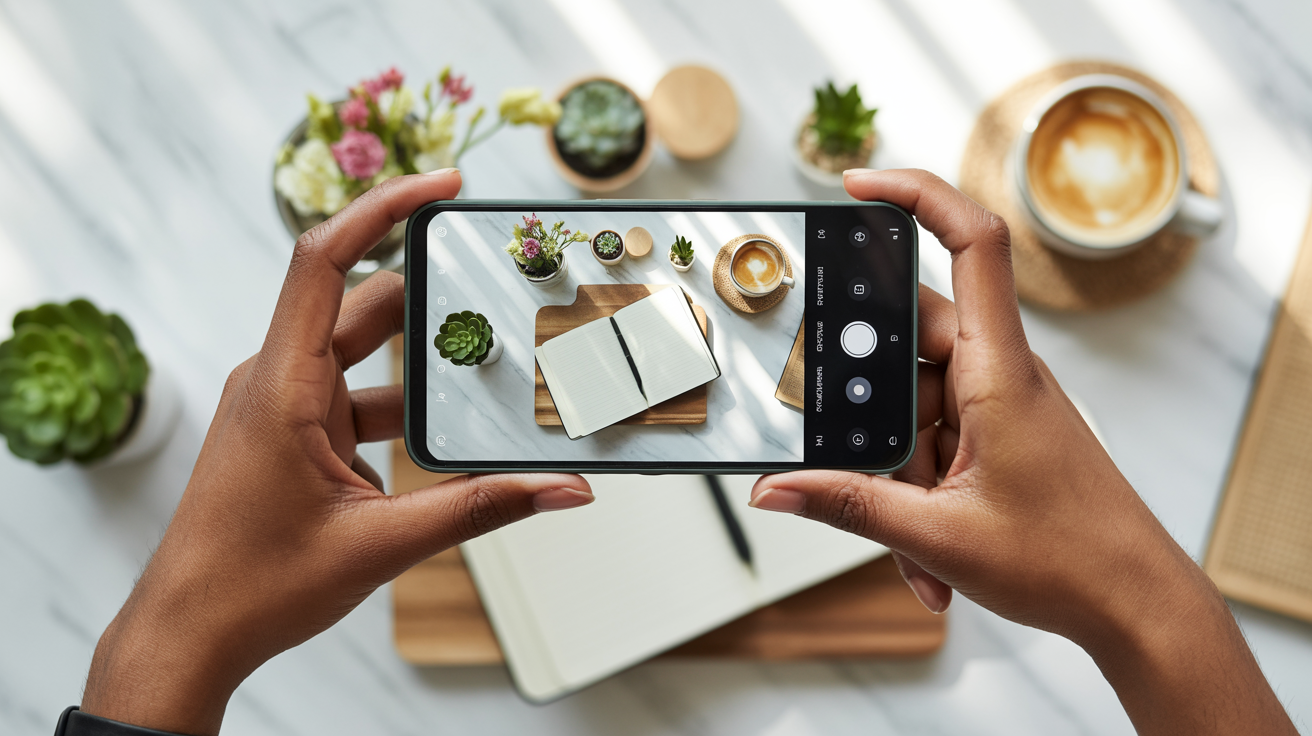
Flat lay photography—overhead shots of objects arranged on a flat surface—is Instagram gold. It's perfect for products, lifestyle content, and creating visually appealing compositions.
To shoot flat lays, position yourself directly above your subject (standing on a chair or using a tripod with overhead positioning). Ensure your phone is parallel to the surface to avoid distortion. Use natural window light from the side for even illumination.
Arrange objects intentionally, considering composition principles—rule of thirds, negative space, color harmony. Flat lays work well for products, food, workspace setups, outfit layouts, and countless other subjects.
Action Shots
Capturing movement and energy creates dynamic, engaging content. Use burst mode to capture multiple frames of action, then select the best shot. This works for sports, dance, jumping shots, or any movement.
Ensure you have good lighting for action shots—movement requires faster shutter speeds, which need more light. Outdoor daylight or bright indoor lighting works best. Anticipate the action and start shooting slightly before the peak moment to ensure you capture it.
Panning—moving your camera to follow a moving subject—can create dynamic images with the subject in focus and the background blurred, conveying motion. This takes practice but creates professional-looking action shots.
Carousel-Worthy Series
Instagram carousels (multi-image posts) perform well algorithmically and allow you to tell visual stories. Plan series of images that work together—before/after transformations, step-by-step processes, multiple angles of a subject, or narrative sequences.
Shoot with carousels in mind, creating sets of related images that tell a complete story. Maintain visual consistency across images in a carousel while showing progression or different perspectives.
Platform-Specific Tips
Different platforms have different visual expectations and technical requirements:
Instagram: Vertical and square formats, bright and vibrant colors, high contrast, clear focal points. Stories and Reels use 9:16 vertical format.
LinkedIn: Professional headshots, workplace content, industry-relevant images. More conservative aesthetic than Instagram. Square or horizontal formats work well.
Facebook: Versatile formats accepted, emphasis on people and stories. Images with faces perform better. Both horizontal and vertical work.
Pinterest: Vertical pins (2:3 ratio) perform best. Clear focal points, text overlays often beneficial, aspirational imagery. Bright, high-contrast images stand out.
TikTok: Vertical 9:16 format for video thumbnails. Bright, attention-grabbing images that make people want to watch the video.
Editing Your Smartphone Photos Like a Pro
Even perfectly shot photos benefit from editing. Professional-looking images almost always involve some post-processing—adjusting exposure, enhancing colors, cropping for optimal composition, and polishing the final result. The good news is that smartphone editing tools have become incredibly powerful and accessible.
Built-In Editing Tools
Your phone's native Photos app includes surprisingly capable editing tools. On iPhone, the Photos app offers adjustments for exposure, brilliance, highlights, shadows, contrast, brightness, black point, saturation, vibrance, warmth, tint, sharpness, definition, noise reduction, and vignette. Android's Google Photos offers similar controls.
These built-in tools handle 90% of editing needs for most photos. Learn to use them before exploring third-party apps—they're free, integrated, and non-destructive (you can always revert to the original).
Brightness, Contrast, and Exposure
Exposure adjustments control overall image brightness. If your photo is too dark or too bright, start here. However, global exposure adjustments affect the entire image equally, which isn't always ideal.
Highlights control the brightest areas of your image. If skies are blown out or bright areas lack detail, reduce highlights. Shadows control the darkest areas—increase shadows to reveal detail in dark areas without affecting the rest of the image.
Contrast controls the difference between light and dark areas. Increasing contrast makes images more dramatic and punchy; decreasing it creates a softer, more muted look. Most photos benefit from slight contrast increases.
Brightness is similar to exposure but affects midtones more than highlights and shadows. Use it for fine-tuning after adjusting exposure, highlights, and shadows.
Color Correction and White Balance
White balance ensures colors look natural and accurate. If your image has a color cast—too blue, too yellow, too green—adjust the temperature (warmth/coolness) and tint (green/magenta balance).
Warmer images (more yellow/orange) feel cozy and inviting. Cooler images (more blue) feel clean and modern. Adjust white balance to match your intended mood while keeping skin tones and neutral colors looking natural.
If your editing app has an auto white balance or eyedropper tool, use it on something that should be neutral gray or white. This often gets you close to correct white balance, which you can then fine-tune manually.
Saturation and Vibrance
Saturation increases the intensity of all colors equally. It's powerful but easy to overdo—oversaturated images look unnatural and garish. Use saturation sparingly, typically increasing by 5-15% at most.
Vibrance is a smarter saturation control that increases intensity of muted colors while protecting already-saturated colors and skin tones. It's generally safer than saturation for making images more colorful without creating unnatural results.
For most images, slight vibrance increases (10-20%) create more appealing, lively images without crossing into oversaturated territory.
Sharpening and Clarity
Sharpening increases edge definition, making images appear crisper and more detailed. Most photos benefit from slight sharpening (10-30%), especially if they'll be viewed on screens. However, oversharpening creates harsh, unnatural-looking edges and amplifies noise.
Clarity (or structure/definition in some apps) increases midtone contrast, making images appear more detailed and defined. It's particularly effective for landscapes, architecture, and products. Use it moderately—too much creates an overly processed, HDR-like appearance.
For portraits, be cautious with sharpening and clarity. Too much emphasizes skin texture and imperfections. Slight sharpening is fine, but portraits often benefit from softer treatment than landscapes or products.
Cropping and Straightening
Cropping refines composition, removes distracting elements, and adjusts aspect ratio for different platforms. Don't be afraid to crop significantly if it improves composition—it's better to have a smaller, well-composed image than a larger, poorly composed one.
Use cropping to apply the rule of thirds if you didn't compose perfectly in-camera. Reframe to eliminate distracting background elements. Adjust aspect ratio for specific platforms—square for Instagram, vertical for Stories, horizontal for websites.
Straightening ensures horizons are level and vertical lines are truly vertical. Even slight tilts are noticeable and make images feel off-balance. Most editing apps have grid overlays and auto-straighten features that make this easy.
Best Editing Apps
While built-in tools are excellent, third-party apps offer additional capabilities:
Snapseed (free, iOS and Android) is incredibly powerful and completely free. It offers selective editing (adjust specific areas of your image), healing/removal tools, perspective correction, and professional-grade controls. It's the best free editing app available.
Lightroom Mobile (free with optional subscription, iOS and Android) brings Adobe's professional editing tools to smartphones. The free version is powerful; the subscription adds cloud sync, presets, and advanced features. It's ideal if you want professional-level control.
VSCO (free with optional subscription, iOS and Android) is popular for its film-inspired presets and community features. The free version includes basic editing and some presets; subscription unlocks the full preset library.
Adobe Express (free, iOS and Android) offers quick, easy editing with templates, effects, and one-tap enhancements. It's less powerful than Lightroom but faster and easier for quick edits.
Presets and Filters
Presets (or filters) are saved editing settings that you can apply to multiple images for consistent look. They're valuable for efficiency and maintaining visual consistency across your content.
However, presets should be starting points, not final solutions. Apply a preset, then fine-tune the settings for each specific image. Lighting, subject matter, and colors vary between images, so one-size-fits-all presets rarely produce optimal results without adjustment.
Create your own presets by editing an image to your satisfaction, then saving those settings. This ensures your presets match your specific aesthetic and work well with your typical shooting conditions.
Batch Editing
If you're editing multiple images from the same shoot with similar lighting and conditions, batch editing saves enormous time. Edit one image to perfection, then copy those settings and apply them to the other images from that session.
Most editing apps support copying and pasting edits. This creates consistency across a set of images while saving the time of editing each individually. You may still need minor adjustments on individual images, but batch editing handles 80% of the work instantly.
Common Smartphone Photography Mistakes to Avoid
Even with knowledge of proper techniques, certain mistakes plague smartphone photographers. Recognizing and avoiding these errors immediately improves your results.
Digital Zoom
Never use digital zoom on your smartphone. Unlike optical zoom (which uses lens elements to magnify), digital zoom simply crops and enlarges the image, reducing quality and creating pixelation. The results are always worse than shooting at normal zoom and cropping in editing.
Instead of zooming, move physically closer to your subject. If you can't get closer, shoot at normal zoom and crop later—you'll get better quality than using digital zoom.
Some newer phones have multiple lenses (wide, standard, telephoto). Switching between these lenses is fine—that's optical zoom. But avoid the digital zoom that happens when you zoom beyond the optical lens capabilities.
Shooting in Poor Lighting
No amount of editing can fix a photo shot in terrible lighting. If the light is bad—harsh overhead fluorescents, very dim conditions without night mode, extreme contrast—wait for better light or move to a better location.
The best photos come from good light. If you're serious about quality, be willing to wait for golden hour, move near a window, or reschedule for better conditions. This discipline separates amateur snapshots from professional-quality images.
Cluttered Backgrounds
Busy, cluttered backgrounds distract from your subject and make images look amateur. Before shooting, scan the entire frame—not just your subject—and remove or avoid distracting elements.
Move objects out of the frame, change your angle to exclude clutter, or move your subject to a cleaner location. A few seconds of background cleanup makes a dramatic difference in final image quality.
Over-Editing
Heavy-handed editing creates unnatural-looking images that scream "overly processed." Cranking saturation to maximum, applying extreme filters, or making dramatic adjustments that don't reflect reality undermines credibility and looks amateur.
Edit with restraint. Make adjustments that enhance the image while maintaining natural appearance. If you're unsure whether you've edited too much, you probably have—dial it back 20-30%.
Ignoring Composition
Composition matters as much as technical quality. A perfectly exposed, sharp image with poor composition is still a bad photo. Before pressing the shutter, consider your framing, apply the rule of thirds, check for distracting elements, and ensure your composition is intentional.
Taking an extra 10 seconds to compose thoughtfully transforms snapshots into photographs. This mindfulness is what separates casual phone users from smartphone photographers.
Not Cleaning Your Lens
Smartphone lenses accumulate fingerprints, dust, and smudges from being in pockets and bags. A dirty lens creates hazy, low-contrast images that lack sharpness.
Before every photo session, wipe your lens with a soft, clean cloth (microfiber cloths work perfectly). This simple habit dramatically improves image quality.
Wrong Aspect Ratio
Shooting in one aspect ratio and then needing a different one for your intended use forces awkward cropping that may cut off important elements. Before shooting, consider where you'll use the image and compose accordingly.
If you're shooting for Instagram Stories (9:16 vertical), compose vertically with that ratio in mind. If you need square images, compose for square. If you're unsure, compose with extra space around your subject so you can crop to multiple ratios later.
Inconsistent Style
If you're creating content for a brand, business, or cohesive social media presence, inconsistent photography styles create a disjointed, unprofessional appearance. Jumping between different editing styles, lighting approaches, and compositional techniques makes your content look random rather than intentional.
Develop a consistent approach and stick with it. This doesn't mean every photo must be identical, but maintaining consistent elements creates visual cohesion that strengthens your brand.
Advanced Techniques for Next-Level Results
Once you've mastered the fundamentals, these advanced techniques can take your smartphone photography to professional levels.
Long Exposure
Long exposure photography captures motion over time, creating effects like silky smooth water, light trails from cars, or star trails in night skies. Some smartphones have built-in long exposure modes; others require third-party apps.
For long exposures, your phone must be completely stable—use a tripod or solid surface. Exposure times range from 1-30 seconds depending on the effect you want and available light. Moving elements blur while stationary elements remain sharp, creating dynamic, artistic images.
Long exposure works beautifully for waterfalls, ocean waves, nighttime cityscapes with traffic, and creative light painting. It's an advanced technique that produces results impossible with standard photography.
Panorama Mode
Panorama mode stitches multiple images together to create ultra-wide images that capture expansive scenes. It's perfect for landscapes, cityscapes, and any scene too wide for a single frame.
For best results, move your phone slowly and steadily, keeping it level. Avoid including moving subjects (they can appear distorted or duplicated). Panoramas work best in even lighting—dramatic lighting changes across the scene can create visible seams.
Vertical panoramas (moving the phone up instead of sideways) can capture tall subjects like skyscrapers or trees. Experiment with both horizontal and vertical panoramas for creative perspectives.
Burst Mode
Burst mode captures multiple frames per second, perfect for action, unpredictable moments, or ensuring you get the perfect expression in portraits. Hold down the shutter button to activate burst mode on most smartphones.
After shooting a burst, review all frames and select the best one(s). Delete the rest to save storage. Burst mode is invaluable for photographing children, pets, sports, or any situation where timing is critical.
Focus Stacking
Focus stacking combines multiple images shot at different focus distances to create an image with front-to-back sharpness impossible in a single shot. This requires third-party apps and is more advanced, but creates stunning results for macro photography and product photography where you want everything in sharp focus.
Shoot multiple images of the same scene, adjusting focus from foreground to background. Focus stacking software combines them, selecting the sharpest areas from each image to create a final image with maximum depth of field.
Time-Lapse
Time-lapse condenses long periods into short videos by capturing frames at intervals and playing them back at normal speed. Sunsets, clouds moving, flowers blooming, or busy city scenes become dynamic time-lapse videos.
Most smartphones have built-in time-lapse modes. Set up your phone on a tripod, start the time-lapse, and let it run for the duration you want to capture. The phone automatically creates the final video.
While time-lapse creates video rather than still images, it's a valuable technique for content creators and adds variety to your visual content.
Macro Photography
Macro photography captures extreme close-ups of small subjects, revealing details invisible to the naked eye. Some newer smartphones have dedicated macro modes; others can achieve macro effects by getting very close to subjects with the standard lens.
Macro photography requires excellent lighting (subjects are small, so you need to get close, which can block light), steady hands or a tripod, and careful focus. The results—extreme close-ups of flowers, insects, textures, or small objects—create fascinating, unique images.
Black and White Photography
Black and white photography removes color, forcing viewers to focus on light, shadow, texture, and composition. It can create timeless, artistic images with emotional impact.
Shoot in color and convert to black and white in editing—this gives you more control than shooting in black and white mode. When converting, adjust contrast, highlights, and shadows to create the mood you want. Black and white works particularly well for portraits, architecture, and high-contrast scenes.
Organizing and Managing Your Photo Library
As you create more photos, organization becomes crucial. A well-organized photo library saves time, prevents lost images, and makes finding specific photos easy.
Folder Structure
Create a logical folder structure on your phone or computer. Organize by date, project, subject, or purpose—whatever makes sense for how you use your photos. For example:
- By project: "Instagram Content," "Product Photos," "Personal Brand," "Client Work"
- By date: "2026-03," "2026-02," etc.
- By subject: "Portraits," "Products," "Landscapes," "Events"
Consistency matters more than the specific system. Choose an approach and stick with it.
Cloud Backup
Never rely solely on your phone for photo storage. Phones get lost, damaged, or stolen. Cloud backup protects your work and makes photos accessible across devices.
Google Photos, iCloud Photos, Dropbox, and OneDrive all offer automatic photo backup. Enable automatic backup so every photo is protected without manual effort. The peace of mind is worth the small monthly cost for sufficient storage.
Culling
Regularly review and delete bad photos, duplicates, and images you'll never use. This keeps your library manageable and makes finding good photos easier.
After a photo session, immediately review images and delete obvious failures—out of focus, bad exposure, unflattering expressions. Keep only the best shots. This discipline prevents your library from becoming overwhelming.
Metadata and Keywords
Adding keywords, descriptions, and metadata to photos makes them searchable. If you have thousands of photos, being able to search for "product photo red background" or "headshot blue shirt" saves enormous time.
Most photo management apps support adding keywords and metadata. Spend a few seconds tagging photos as you import them—it's much easier than trying to organize thousands of untagged images later.
Export Settings
When exporting photos for different uses, optimize settings for each purpose:
- Social media: JPEG, sRGB color space, 1080-2048 pixels on longest side, quality 80-90%
- Website: JPEG, sRGB, sized appropriately for use (hero images larger, thumbnails smaller), quality 70-85%
- Print: Maximum resolution, Adobe RGB color space, TIFF or maximum quality JPEG
- Email: JPEG, sRGB, 800-1200 pixels, quality 70-80% (smaller file size)
Understanding export settings ensures your images look great in their intended context without unnecessarily large file sizes.
Archiving
For long-term storage of important photos, create archives on external hard drives or cloud storage. Don't rely solely on cloud services—having a local backup protects against service outages, account issues, or service shutdowns.
An external hard drive is inexpensive insurance for your photo library. Back up your entire library annually (or more frequently if you shoot heavily) to an external drive stored safely.
Real-World Applications and Success Stories
Theory is valuable, but real-world examples prove the impact of smartphone photography skills. Here are several success stories demonstrating what's possible.
Content Creator Built 50K Instagram Following: Maya, a lifestyle content creator, built her Instagram following from zero to 50,000 using only her iPhone. She mastered window light photography, developed a consistent editing style using Lightroom Mobile presets, and posted high-quality content three times weekly. Her photography skills—not expensive equipment—drove her growth. She now earns income through brand partnerships, all photographed with her smartphone.
Small Business Owner Eliminated Photography Costs: James runs an online boutique selling home goods. He was spending $800 monthly on product photography until he learned smartphone photography techniques. He created a simple window-light setup with a white backdrop and now photographs all products himself. The quality matches his previous professional photos, saving him $9,600 annually while giving him complete control over his product imagery and faster turnaround for new products.
Professional Maintains Personal Brand: Sarah, a marketing consultant, uses smartphone photography to maintain her professional presence across LinkedIn, her website, and speaking engagements. She updates her headshots quarterly using self-timer techniques, creates behind-the-scenes content from client work, and photographs her speaking engagements. Her consistent, professional visual presence has directly contributed to client inquiries and speaking opportunities. She's never hired a photographer—everything is shot with her phone.
Entrepreneur Documents Journey: Marcus, a startup founder, documented his entire entrepreneurial journey with smartphone photography. From early product prototypes to team growth to office spaces, he created a visual story of his company's evolution. This content became valuable for social media, investor presentations, and media coverage. His authentic, well-photographed journey resonated with audiences and helped build his company's brand. The accessibility of smartphone photography enabled him to capture moments as they happened rather than staging occasional professional shoots.
Before/After Transformations: Across these success stories, the common thread is dramatic improvement after learning proper techniques. Before: poorly lit, badly composed, amateur-looking images that undermined credibility. After: professional-quality photos indistinguishable from expensive photography, creating trust, engagement, and business results.
The transformation doesn't require expensive equipment or years of training—just knowledge, practice, and intentional application of the techniques covered in this guide.
> Ready to transform your smartphone photos into professional-quality images? Glowup makes it easy to enhance your phone photography with AI-powered editing, professional backgrounds, and studio-quality results. Perfect for social media, personal branding, and small business marketing. Start creating stunning photos today.
Conclusion
Your smartphone is a professional photography tool capable of creating images that rival expensive camera equipment. The limiting factor has never been the technology—it's been knowledge and technique. Now you have both.
Mastering smartphone photography elevates every aspect of your digital presence. Your social media content becomes more engaging, driving higher reach and follower growth. Your professional headshots and personal branding images convey competence and credibility. Your product photography drives sales and builds customer trust. Your ability to create high-quality visual content on demand becomes a competitive advantage in an increasingly visual digital world.
The techniques covered in this guide—understanding camera settings, mastering lighting, applying composition principles, perfecting portraits and products, creating social media content, and editing professionally—work together to transform your photography. You don't need to master everything at once. Start with one area, practice until it becomes second nature, then add another technique. Progressive improvement compounds over time.
The applications span every area of modern professional and personal life. Content creators build audiences and monetize their work. Small business owners create professional marketing materials without ongoing photography costs. Professionals maintain polished personal brands that open career opportunities. Entrepreneurs document their journeys and build authentic connections with audiences. The common thread is that high-quality visual content, created accessibly with smartphones, drives real-world results.
Your phone is already in your pocket. The camera is already professional-grade. The only missing piece was the knowledge to use it effectively—and now you have that too. Start applying these techniques today. Shoot with intention, practice deliberately, and watch your photography transform from casual snapshots to professional-quality images that serve your goals.
The power to create professional photography is literally in your hands. Use it.