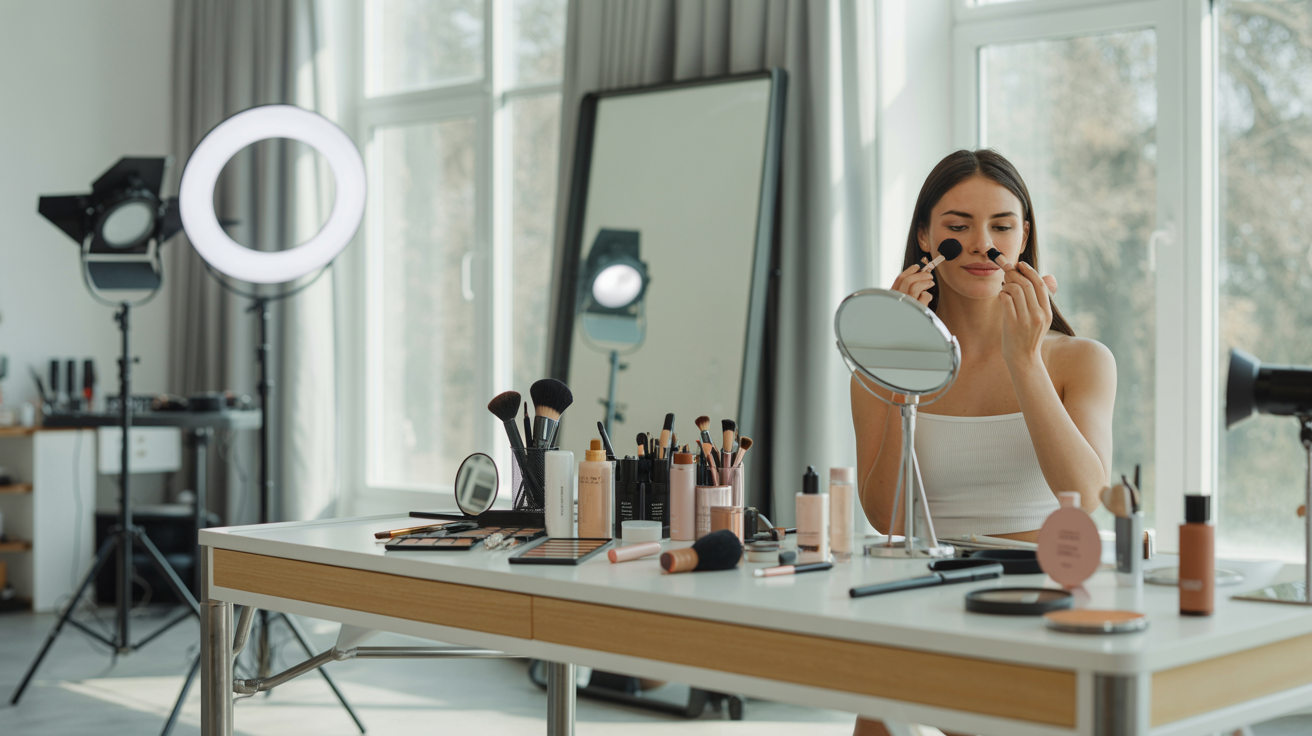
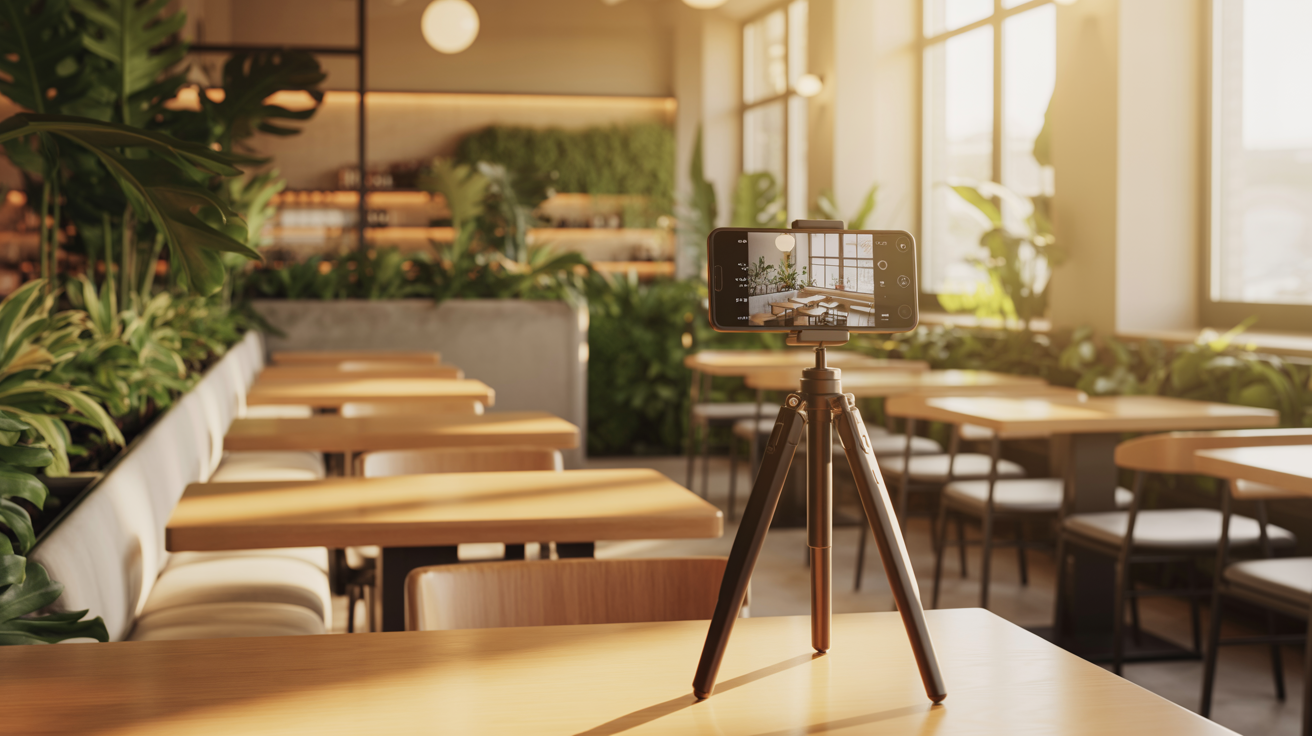
Your interior space is your silent salesperson. Before a single customer walks through your door, they've already formed an opinion about your business based on the photos they saw online. That cozy corner booth in your cafe, the sleek styling stations in your salon, the inviting retail displays in your boutique—these spaces tell a story about who you are and what customers can expect. But here's the problem: most small business owners struggle to capture their space's true ambiance in photos. The lighting looks wrong, the space feels cramped, or the photos just don't convey the welcoming atmosphere that exists in person.
This disconnect between your actual space and how it appears in photos costs you customers every single day. When potential customers search for businesses like yours on Google, browse your website, or check your social media, interior photos are often the deciding factor between "I'll try this place" and "I'll keep looking." Research shows that Google Business listings with interior photos receive 35% more clicks than those without. Website visitors spend significantly more time on pages with comprehensive interior galleries. Social media posts featuring your interior space generate higher engagement than almost any other content type.
The good news? You don't need to hire an expensive professional photographer to create compelling interior photos. With your smartphone, some basic techniques, and the strategies in this comprehensive guide, you can photograph your space in a way that attracts customers and accurately represents the experience you provide. Whether you run a restaurant, cafe, retail shop, salon, spa, office, or any other business with a physical space, this guide will teach you everything you need to know about DIY interior photography that drives foot traffic and builds trust with potential customers.
Why Interior Photography Matters for Your Business
First impressions happen online long before customers visit your physical location. In today's digital-first world, your interior photos are often the first real glimpse potential customers get of your business. They're not just looking at your menu, services, or product list—they're trying to answer deeper questions: Will I feel comfortable here? Does this place look clean and well-maintained? Is this the kind of atmosphere I'm looking for? Does this business match my style and expectations? Interior photos answer all these unspoken questions instantly and powerfully.
The statistics on interior photography's impact are compelling. Google Business listings with 10 or more interior photos receive 35% more clicks than those with fewer photos. Businesses with comprehensive interior photo galleries see significantly higher conversion rates on their websites. Social media posts featuring interior spaces generate 2-3x more engagement than product-only or text-based posts. These aren't marginal improvements—they're game-changing advantages that directly impact your bottom line through increased foot traffic, bookings, and sales.
Different business types benefit from interior photography in specific ways. Restaurants and cafes use interior photos to showcase ambiance, seating variety, and cleanliness—the intangible factors that make diners choose one restaurant over another. Potential customers want to see if your space is romantic for date nights, casual for family dinners, or energetic for social gatherings. They want to see your seating options, your decor style, and whether your space matches the cuisine you serve.
Retail shops use interior photos to demonstrate layout, merchandise displays, and the overall shopping experience. Online shoppers want to see how products are displayed, how easy it is to navigate your store, and whether your space feels inviting or overwhelming. Interior photos help them visualize the in-store experience and decide whether it's worth making the trip. Boutiques, gift shops, bookstores, and specialty retailers all benefit enormously from showing customers what makes their physical space special.
Salons and spas rely heavily on interior photos to communicate cleanliness, professionalism, and atmosphere. Customers choosing personal care services are particularly sensitive to how spaces look and feel. They want to see clean, well-equipped stations, modern equipment, organized products, and a relaxing or energizing atmosphere depending on the service. Interior photos build trust and confidence before customers book their first appointment.
Offices and coworking spaces use interior photos to attract clients, employees, and partners. Professional services firms showcase their office interiors to communicate competence, success, and culture. Coworking spaces highlight amenities, workspace variety, and community atmosphere. In both cases, interior photos help people visualize themselves working in your space and decide if it's the right fit.
The common thread across all business types is that interior photos answer the fundamental question every potential customer has: "What will my experience be like here?" No amount of text description can replace the instant understanding that comes from seeing your actual space. Interior photography isn't vanity—it's essential marketing that directly drives business results.
Essential Equipment: What You Actually Need
One of the biggest misconceptions about interior photography is that you need expensive professional equipment. The truth is that your smartphone is perfectly sufficient for creating high-quality interior photos that attract customers. Modern smartphones—whether iPhone or Android—have cameras that rival professional equipment from just a few years ago. They're capable of capturing sharp, well-exposed, color-accurate images that look professional when used correctly.
The key advantage of smartphone photography for small business owners is that you already own the equipment and know how to use it. There's no learning curve with complicated camera settings, no investment in expensive gear, and no need to hire a professional. You can take photos whenever you want, update them seasonally, and experiment freely without worrying about costs. This accessibility means you're more likely to actually take and update your interior photos regularly, which is far more valuable than having a few perfect professional photos that quickly become outdated.
That said, a few affordable accessories can significantly improve your smartphone interior photography. A tripod or phone stabilizer—even a basic $15-30 model—makes a huge difference in image sharpness and consistency. Interior photography often requires slower shutter speeds in lower light, and even slight hand movement can create blur. A tripod eliminates this problem and allows you to compose shots carefully and consistently. It also frees your hands to adjust lighting, move objects, or stage elements while maintaining your composition.
A wide-angle lens attachment for your smartphone ($20-40) can be valuable for photographing small spaces. These clip-on lenses attach to your phone and expand your field of view, allowing you to capture more of a room in a single shot. This is particularly useful for small restaurants, boutiques, or salons where you can't physically back up far enough to capture the full space. However, be cautious with extreme wide-angle or fisheye lenses, which can create distortion that looks unprofessional. A moderate wide-angle lens (0.6x to 0.7x) provides the benefits without excessive distortion.
Lighting is the most important factor in interior photography, but you don't need expensive professional lighting. Natural light from windows is your best free resource, and we'll cover how to use it effectively in later sections. For spaces with limited natural light or for shooting at night, affordable LED light panels ($20-50) can supplement your existing lighting. These portable, battery-powered panels provide clean, adjustable light that can brighten dark corners or balance uneven lighting. A simple ring light ($15-30) works well for detail shots of products, decor, or specific features.
Editing apps are essential for polishing your interior photos, but the best options are free. Snapseed (Google's free editing app) is comprehensive and powerful, offering everything from basic adjustments to advanced selective editing. Lightroom Mobile has a robust free version with professional-grade editing tools. VSCO offers stylish presets and filters that can create a consistent aesthetic across your photos. All three apps are intuitive enough for beginners while offering depth for those who want to learn more advanced techniques.
What you absolutely don't need: an expensive DSLR or mirrorless camera, professional lighting equipment, expensive editing software, or a photography degree. The total investment for excellent DIY interior photography can be as low as $0 (just your smartphone and free apps) or up to $50-100 if you add a tripod, wide-angle lens, and basic LED light. This modest investment pays for itself immediately through increased customer traffic and bookings.
Preparing Your Space for Photography
The single most important step in interior photography happens before you ever pick up your camera: preparing your space. Even the best photography techniques can't overcome a cluttered, dirty, or poorly staged space. Conversely, a well-prepared space photographs beautifully even with basic equipment and techniques. Think of preparation as the foundation that makes everything else work.
Deep cleaning is non-negotiable. Customers notice details in photos that they might overlook in person—dust on surfaces, smudges on windows, crumbs on floors, fingerprints on glass, stains on upholstery. Before photographing, clean your space as if you're preparing for a health inspection or a visit from your most critical customer. Wipe down all surfaces, vacuum or mop floors, clean windows and mirrors, dust shelves and decor, and remove any trash or debris. Pay special attention to areas that will be prominent in photos: tables, counters, displays, and focal points.
Decluttering is equally critical. Remove everything that doesn't contribute to the story you're telling about your space. Personal items, excess signage, random boxes, staff belongings, outdated promotional materials, and anything that looks messy or temporary should be removed from view. The goal is to show your space at its best, not to document every single item in it. A clean, uncluttered space photographs as larger, more professional, and more inviting than a cluttered one.
Staging is the art of arranging your space to look both authentic and appealing. The key is making your space look "ready for customers" rather than empty or overly styled. For restaurants and cafes, set a few tables beautifully with place settings, but don't set every table—this looks staged and impersonal. Include some tables that are clean and ready, showing variety in your seating options. If you have a signature dish or drink, consider having it styled and ready to photograph as part of the scene.
For retail shops, create focal point displays that showcase your best or most representative products. Clear pathways between displays so the space looks navigable and inviting. Organize products by color, style, or category in a way that's visually appealing. Ensure price tags and signage are clean and professional-looking. The goal is to show how products are displayed and how customers can browse, not to photograph every single item you sell.
Salons and spas should stage clean, organized stations with products neatly arranged. Show one or two stations fully set up and ready for clients, demonstrating your professionalism and attention to detail. Waiting areas should look comfortable and inviting with magazines neatly arranged, comfortable seating visible, and any amenities (coffee, water, etc.) presented attractively.
Offices and professional spaces should show tidy desks with minimal personal items, organized bookshelves, clean conference rooms with professional touches (water glasses, notepads, etc.), and common areas that look both functional and welcoming. The goal is to communicate professionalism and competence while also showing personality and culture.
Lighting preparation is crucial and often overlooked. Turn on all your lights—overhead lights, accent lights, display lights, everything. Open blinds and curtains to let in natural light. The goal is to make your space as bright and inviting as possible. We'll cover lighting techniques in detail later, but at the preparation stage, simply maximize all available light sources.
Timing matters significantly for interior photography. The best time to photograph is typically mid-morning to early afternoon when natural light is abundant but not harsh. Avoid shooting during the brightest midday hours when sunlight creates harsh shadows and blown-out windows. Overcast days are actually ideal for interior photography because the diffused light is even and flattering. If your business has particularly beautiful evening ambiance with mood lighting, plan a separate evening photo session to capture that atmosphere.
The "customer's eye view" test is your final preparation check. Walk through your space as if you're a first-time customer. What do you notice first? What catches your eye? What questions would you have? What would make you feel welcome or hesitant? Photograph from these customer perspectives—the view from the entrance, the approach to the counter or host stand, the view from a seat or fitting room. These authentic perspectives create photos that resonate with potential customers because they mirror the actual customer experience.
> Want professional photos without the photoshoot? Glowup creates stunning AI-enhanced images for your business. Try it free at https://glowuplab.app/
Camera Settings and Technical Basics
Modern smartphones make interior photography accessible by handling most technical settings automatically, but understanding a few key settings allows you to take control and dramatically improve your results. You don't need to become a technical expert—just knowing when and how to adjust a handful of settings makes the difference between amateur snapshots and professional-looking interior photos.
HDR (High Dynamic Range) mode is your most powerful tool for interior photography. Interior spaces typically have high contrast—bright windows and dark corners in the same frame. Your camera can't capture this full range of brightness in a single exposure, resulting in either blown-out windows or dark, murky interiors. HDR mode takes multiple exposures at different brightness levels and combines them into a single image that shows detail in both bright and dark areas. Enable HDR mode for any interior shot that includes windows or has significant contrast between light and dark areas. The result is balanced, natural-looking photos where you can see both the view outside windows and the details in darker corners.
Portrait mode, while excellent for people photography, should generally be avoided for interior photography. Portrait mode creates artificial background blur (bokeh) to make subjects stand out, but interior photography needs depth and detail throughout the entire frame. You want customers to see your whole space clearly, not just one focal point with everything else blurred. Use standard photo mode for interior shots to maintain sharpness and detail from foreground to background.
Exposure adjustment is one of the most important manual controls you'll use. Most smartphone cameras allow you to tap on the screen to set focus and exposure, then slide up or down to adjust brightness. For interior photography, err slightly on the side of brighter than reality. Photos that are too dark look uninviting and make spaces appear smaller and less clean. Slightly brighter photos look more welcoming and spacious. However, don't overexpose to the point where details are lost in bright areas—aim for bright but still detailed.
White balance affects the color temperature of your photos—whether they look warm (yellow/orange) or cool (blue). Most smartphones handle white balance automatically reasonably well, but you can often adjust it manually if your photos look too yellow or too blue. Interior spaces with mixed lighting (natural light from windows plus artificial overhead lights) can confuse automatic white balance. If your photos look too warm or cool, look for white balance settings (often represented by icons like a sun, cloud, or light bulb) and adjust until the colors look natural. Alternatively, you can correct white balance in editing, which we'll cover later.
Grid lines are a simple but powerful composition tool. Enable the grid overlay in your camera settings (usually a 3x3 grid of lines). This grid helps you align horizontal and vertical elements (walls, windows, tables) so your photos look straight and professional rather than tilted. It also helps you apply the rule of thirds, a composition principle where you place important elements along the grid lines or at their intersections for more visually interesting photos.
Shooting orientation—landscape (horizontal) versus portrait (vertical)—depends on your space and intended use. Landscape orientation is generally better for interior photography because it captures more of the width of a room, which is how we naturally see spaces. However, portrait orientation works well for tall, narrow spaces or for social media platforms like Instagram Stories or TikTok that favor vertical content. Shoot both orientations for important spaces so you have options for different uses.
Resolution settings should always be set to the highest quality your phone offers. Storage is cheap, and you can always make a high-resolution photo smaller, but you can't add detail to a low-resolution photo. High-resolution photos also give you flexibility to crop and still maintain quality, and they look professional on large screens and in print materials.
Burst mode is valuable for capturing the perfect moment, especially if you're including people or movement in your interior shots. Hold down the shutter button to take multiple photos in rapid succession, then choose the best one where everyone looks natural, no one is blinking, and the composition is perfect. This is particularly useful for capturing staff at work or customers enjoying your space.
The key to mastering these technical basics is experimentation. Take multiple shots of the same space with different settings—HDR on and off, different exposure levels, different white balance settings. Review them on a larger screen (not just your phone) and notice which settings produce the most appealing, accurate results for your specific space and lighting conditions. Once you find settings that work well for your space, you can apply them consistently for a cohesive look across all your interior photos.
Composition Techniques for Interior Spaces
Composition—how you frame and arrange elements within your photo—is what separates compelling interior photos from forgettable snapshots. Good composition guides the viewer's eye, creates visual interest, and tells a story about your space. The good news is that effective composition follows learnable principles that you can apply immediately.
Wide shots that capture the full space are essential for giving potential customers a comprehensive view of your interior. These establishing shots answer the fundamental question: "What does this place look like?" To capture effective wide shots, position yourself in corners of the room where you can see the maximum amount of space. Corners provide the widest field of view and create natural depth with walls receding on both sides. Shoot from doorways to capture the customer's first impression as they enter. Include foreground, middle ground, and background elements to create depth and dimension—perhaps a table in the foreground, seating area in the middle, and decor or windows in the background.
Detail shots complement wide shots by highlighting special features, unique elements, and the personality of your space. While wide shots show the overall layout, detail shots show what makes your space special. Photograph unique architectural elements like exposed brick, interesting light fixtures, or distinctive ceiling details. Capture signature products, menu items, or services that define your business. Show texture and materials—the grain of wood tables, the softness of upholstery, the gleam of polished surfaces. Detail shots add richness and interest to your photo gallery and give potential customers a sense of quality and attention to detail.
The rule of thirds is a fundamental composition principle that creates more visually interesting photos than simply centering everything. Imagine your frame divided into a 3x3 grid (use your camera's grid overlay). Place important elements along these grid lines or at their intersections rather than dead center. For example, place a focal point like a beautiful light fixture at the upper third intersection, or position a row of tables along the lower third line. This off-center composition feels more dynamic and natural than perfectly centered compositions, which can feel static and boring.
Leading lines use architectural elements to guide the viewer's eye through your photo. Lines created by walls, floor tiles, table rows, shelving, or ceiling beams naturally draw the eye deeper into the image, creating depth and movement. Position yourself so these lines lead toward your focal point or toward the back of the space. For example, photograph down a row of tables in a restaurant, along an aisle in a retail shop, or down a hallway in an office. Leading lines make photos feel more three-dimensional and immersive.
Framing uses elements within your space to create a "frame within a frame" around your subject. Shoot through doorways to frame the room beyond, use windows or mirrors to frame reflections, or position yourself so architectural elements like arches or columns frame your focal point. Framing adds depth, context, and visual interest while drawing attention to specific elements you want to highlight.
Symmetry creates a sense of order, balance, and professionalism that works particularly well for formal spaces or architectural photography. Center your camera on a symmetrical element—a hallway, a row of tables, a display wall—and ensure both sides are balanced. Symmetrical compositions feel calm, organized, and intentional. However, perfect symmetry can sometimes feel too rigid or formal.
Asymmetry, by contrast, creates energy, interest, and a more casual feel. Asymmetrical compositions work well for showing the organic, lived-in quality of your space. Include elements of different sizes, place focal points off-center, and embrace the natural imperfection of real spaces. Most interior photos benefit from a balance between symmetrical elements (architecture, layout) and asymmetrical elements (decor, staging, people).
Avoiding distortion is crucial for professional-looking interior photos. Keep your camera level—parallel to the floor and perpendicular to walls. Tilting your camera up or down creates converging vertical lines where walls appear to lean inward or outward, which looks unprofessional and disorienting. Use your grid overlay to ensure horizontal and vertical lines in your space align with the grid. If you do need to shoot from a low or high angle, you can correct perspective distortion in editing, which we'll cover later.
Showing scale helps viewers understand the size of your space. Include familiar objects or people in your photos to provide size reference. A photo of an empty room gives no sense of whether it's intimate or spacious, but including a table and chairs, a person, or other recognizable elements immediately communicates scale. This is particularly important for small spaces that you want to show as cozy rather than cramped, or large spaces that you want to show as spacious rather than empty.
Creating depth through layering makes your photos feel three-dimensional rather than flat. Include elements in the foreground (perhaps a table or plant), middle ground (seating area or displays), and background (walls, windows, or decor). This layering creates visual depth that makes viewers feel like they could step into the photo. Depth is what makes interior photos feel immersive and inviting rather than flat and documentary.
Room-by-Room Strategies
Different types of spaces require different compositional approaches. Here's how to photograph specific areas effectively:
Restaurants and Cafes: The dining area should showcase seating variety, ambiance, and the overall atmosphere. Photograph from multiple angles—from the entrance showing the full space, from a diner's perspective at a table, and detail shots of table settings and decor. Show different seating options (booths, tables, bar seating) to help customers visualize where they'd like to sit. Capture the ambiance through lighting, decor, and styling. If you have a bar area, highlight it as a focal point with bottles, lighting, and seating visible. If your kitchen is visible (open kitchen concept), photograph it to show cleanliness, activity, and professionalism—this builds trust and interest.
Retail Shops: The entrance shot is crucial—it's the customer's first impression. Photograph from outside looking in (if you have windows) and from just inside the entrance looking into the store. Show clear sightlines and an inviting, uncluttered entry. The main floor should demonstrate layout, navigation, and featured displays. Photograph down main aisles to show depth and organization. Capture your best displays from multiple angles. If you have fitting rooms, photograph them to show cleanliness, good lighting, and adequate space—these details matter to shoppers.
Salons and Spas: The reception area sets the tone for the entire experience. Photograph it to look professional, welcoming, and organized. Service areas (styling stations, treatment rooms, etc.) should look clean, well-equipped, and spacious. Show one or two stations fully set up to demonstrate your professionalism. Waiting areas should look comfortable and inviting with seating, magazines, and amenities visible. These photos build trust and help clients feel confident booking with you.
Offices: The reception area is your professional first impression. Photograph it to look polished, organized, and welcoming. Workspaces should appear productive, organized, and modern without showing confidential information or too many personal items. Meeting rooms should look professional, well-equipped, and spacious enough for collaboration. Common areas (break rooms, lounges) can show personality and culture while maintaining professionalism.
Lighting Challenges and Solutions
Lighting is the single most important technical factor in interior photography, and it's also the most challenging. Interior spaces typically have complex, mixed lighting that creates problems for cameras. Understanding common lighting challenges and their solutions transforms your interior photography from frustrating to successful.
Natural light from windows is your best free resource for interior photography. Window light is soft, flattering, and creates a natural, inviting look in photos. Position yourself so window light illuminates your space from the side or behind you (not directly behind your subject, which creates silhouettes). The best window light occurs mid-morning to mid-afternoon when sunlight is bright but not harsh. Overcast days provide beautifully diffused window light that's even and flattering—don't avoid shooting on cloudy days.
The biggest challenge with window light is avoiding blown-out windows (windows that appear as bright white rectangles with no detail) while keeping the rest of the room properly exposed. This is where HDR mode becomes essential. HDR captures detail in both the bright windows and the darker interior, creating a balanced image. If HDR isn't sufficient, try shooting when the light outside is less intense (morning, evening, or overcast days), or position yourself so windows aren't directly in frame.
Artificial lighting challenges are more complex than natural light. Most interior spaces have overhead lighting that creates harsh shadows, particularly under eyes, noses, and furniture. Mixed color temperatures—warm incandescent bulbs, cool fluorescent lights, and natural daylight all in the same space—create color casts that make photos look unnatural. Dark corners and uneven lighting make spaces look smaller and less inviting.
Solutions for too-dark interiors include increasing your camera's exposure (slide up on your phone screen after tapping to focus), turning on all available lights, opening blinds and curtains, and adding supplemental lighting. If you invest in affordable LED light panels ($20-50), position them to fill in dark corners or balance uneven lighting. Bounce light off walls or ceilings for softer, more natural-looking illumination rather than pointing lights directly at your subject.
Solutions for blown-out windows include using HDR mode, shooting at times when outdoor light is less intense, slightly underexposing your photo (the interior will be darker but windows will retain detail, which you can balance in editing), or positioning yourself so windows aren't directly in frame. Sometimes the best solution is to embrace windows as bright elements that add light and airiness to your photos rather than trying to show detail through them.
Yellow or orange color casts from warm artificial lighting can be corrected by adjusting white balance in your camera settings or in editing. Most editing apps have a temperature slider that lets you cool down overly warm photos or warm up overly cool photos. The goal is natural-looking color where whites appear white (not yellow or blue) and skin tones (if people are in the photo) look natural.
Uneven lighting—where part of your space is bright and part is dark—can be addressed by adding light to dark areas, taking multiple exposures and combining them (advanced technique), or using selective editing to brighten dark areas and darken overly bright areas. Sometimes uneven lighting creates mood and atmosphere that's worth preserving rather than correcting.
Affordable lighting additions that make a significant difference include LED light panels that provide clean, adjustable light for $20-50, ring lights for detail shots and close-ups for $15-30, and DIY reflectors made from white poster board or foam core that bounce existing light into dark areas for under $5. These modest investments solve most lighting challenges without requiring professional equipment.
When to shoot matters enormously. Mid-morning to early afternoon typically provides the best natural light—bright enough to illuminate interiors but not so harsh that it creates problems. Avoid midday when sunlight is most intense and creates harsh shadows and blown-out windows. If your business has beautiful evening ambiance with mood lighting, plan a separate evening shoot to capture that atmosphere, but be prepared for more challenging low-light conditions.
Strategic choices about turning lights on versus off depend on the mood you want to create. Generally, turn on all lights for bright, welcoming photos that show your space clearly. However, for restaurants, bars, or spas where mood lighting is part of the ambiance, you might intentionally use dimmer lighting to capture that atmosphere. Take photos both ways and see which better represents the experience customers will have.
Making Small Spaces Look Larger
Many small business owners worry that their space will look cramped or uninviting in photos. The good news is that specific techniques make small spaces appear larger, more open, and more inviting in photos without misrepresenting your actual space.
Wide-angle lens attachments or your smartphone's wide-angle mode expand your field of view, allowing you to capture more of a small space in a single shot. This makes rooms appear more spacious and gives viewers a better sense of the full space. However, use wide-angle moderately—extreme wide-angle or fisheye lenses create distortion that looks unprofessional and can actually make spaces look strange rather than larger. A moderate wide-angle (0.6x to 0.7x) provides the benefits without excessive distortion.
Shooting from corners and doorways maximizes the amount of space visible in your frame. Corners provide the widest possible view of a room, and doorways frame the space while providing context. These positions naturally create depth and make spaces feel larger than shooting from the middle of a room.
Vertical shots that emphasize height make spaces feel more expansive. If your space has high ceilings, interesting ceiling details, or vertical elements like tall windows or shelving, shoot vertically to showcase this height. Height creates a sense of spaciousness even in narrow spaces.
Mirrors are your secret weapon for making spaces look larger. If your space has mirrors (common in salons, retail fitting areas, and some restaurants), position yourself so mirrors reflect additional space, light, or interesting elements. Mirrors literally double the apparent size of your space in photos while adding visual interest through reflection.
Decluttering makes the single biggest difference in how spacious your space appears. Remove everything that doesn't need to be in the photo. Clear surfaces, organized displays, and clean pathways make spaces feel significantly larger than cluttered, crowded spaces. This is why preparation is so crucial—a clean, decluttered space photographs as much larger than the same space with clutter.
Bright, even lighting expands space visually. Dark spaces feel smaller and more closed-in, while bright spaces feel open and airy. Maximize all light sources, use HDR to balance lighting, and slightly overexpose rather than underexpose. The psychological effect of brightness on perceived spaciousness is significant.
Showing depth through foreground elements creates a sense of three-dimensionality that makes spaces feel larger. Include something in the foreground (a table, plant, or decor item), middle ground (main space), and background (far wall or windows). This layering creates depth that makes spaces feel more expansive than flat, two-dimensional photos.
What NOT to do: Avoid extreme fisheye lenses that create obvious distortion—this looks unprofessional and makes viewers distrust your photos. Don't crop so tightly that you exclude context and make spaces feel claustrophobic. Don't shoot from low angles that emphasize ceilings at the expense of the actual usable space.
Editing tricks for making spaces look larger include perspective correction (fixing converging vertical lines that make walls appear to lean inward), increasing brightness to create an airy feel, and subtle vignetting (darkening edges) that draws the eye to the center and creates depth. We'll cover these editing techniques in detail in the next section.
Capturing Ambiance and Atmosphere
Technical excellence in lighting and composition is important, but the most compelling interior photos capture something more intangible: ambiance and atmosphere. This is the feeling of your space—the mood, energy, and personality that make customers choose you over competitors. Ambiance is what makes a cafe feel cozy, a boutique feel stylish, a salon feel luxurious, or an office feel innovative.
Lighting sets the mood more than any other single factor. Warm lighting (yellow/orange tones) creates a cozy, intimate, welcoming atmosphere perfect for restaurants, cafes, and hospitality businesses. Cool lighting (blue/white tones) creates a clean, modern, energetic atmosphere that works well for retail, offices, and contemporary spaces. The lighting in your photos should match the actual ambiance customers experience. If your restaurant has warm, romantic lighting in the evening, photograph it in the evening to capture that mood. If your retail space has bright, energizing lighting, photograph it during the day with all lights on.
Including people adds life, energy, and authenticity to interior photos. Empty spaces can feel sterile or abandoned, while spaces with people feel active and welcoming. Both candid and posed photos of people have value. Candid shots of staff working naturally—a barista making coffee, a stylist cutting hair, a shop owner arranging displays—show your business in action and create authentic, relatable content. Posed shots of staff or customers (with permission) can be more polished and controlled while still adding human presence.
When including people, ensure they're doing something natural and relevant to your business. Staff should be engaged in actual work tasks, not awkwardly standing and smiling at the camera. Customers (with explicit permission) should be genuinely enjoying your space—dining, shopping, receiving services. The goal is to show the experience people have in your space, not to create obviously staged photos.
Movement and activity can be captured through slight motion blur that shows energy and life. A barista's hands pouring coffee, a customer browsing through clothing racks, or people moving through your space create dynamic photos that feel alive. Use a slightly slower shutter speed (your phone may do this automatically in lower light) to capture this motion blur, or use burst mode and choose a shot that shows natural movement.
Details that convey personality are what make your space unique and memorable. Photograph the elements that reflect your brand, values, and style. Decor and artwork that you've chosen carefully, plants and natural elements that create a specific atmosphere, unique features like vintage furniture or custom-built elements, and character details like exposed brick, interesting textures, or distinctive color schemes all tell the story of who you are as a business.
Consistency with your brand identity ensures your interior photos align with your overall brand. If your brand is modern and minimalist, your interior photos should emphasize clean lines, uncluttered spaces, and contemporary elements. If your brand is vintage and eclectic, your photos should showcase unique finds, layered textures, and personality. This consistency helps customers understand what to expect and attracts customers who align with your style.
Seasonal variations keep your interior photos fresh and relevant. Update your photos to reflect seasonal decor, holiday decorations, or seasonal changes in your space. This shows that your business is active and current, and it gives you fresh content to share on social media and your website. Seasonal photos also help customers visualize visiting during specific times of year.
The key to capturing ambiance is being intentional about what feeling you want to convey and then using lighting, composition, people, and details to create that feeling. Before you start shooting, ask yourself: What do I want potential customers to feel when they see these photos? Welcomed? Excited? Relaxed? Inspired? Then make deliberate choices that create that emotional response.
Editing Your Interior Photos
Even well-shot interior photos benefit from editing to correct minor issues, enhance their best qualities, and create a consistent style across your photo library. The good news is that effective editing doesn't require expensive software or advanced skills—free smartphone apps provide professional-grade tools that are intuitive to learn.
Free editing apps that work exceptionally well for interior photography include Snapseed (Google's comprehensive free editing app with everything from basic adjustments to advanced selective editing), Lightroom Mobile (Adobe's mobile version with a robust free tier offering professional-grade tools), and VSCO (popular for its stylish presets and filters that create consistent aesthetics). All three apps are available for both iPhone and Android, are free or have excellent free versions, and offer intuitive interfaces that make editing accessible to beginners.
Basic edits that everyone should make to interior photos start with straightening and cropping. Use the straighten tool to ensure horizontal and vertical lines (walls, windows, tables) are perfectly level—even slight tilts look unprofessional. Crop to improve composition, remove distracting elements at edges, or adjust aspect ratio for specific uses (square for Instagram feed, vertical for Stories, horizontal for websites).
Adjusting brightness and contrast makes photos more vibrant and appealing. Increase brightness slightly to make spaces feel more open and inviting, but don't overexpose to the point where details are lost. Increase contrast moderately to make photos "pop" and look more professional, but avoid excessive contrast that looks harsh or unnatural. The goal is photos that look slightly better than reality—more vibrant and appealing—without looking obviously edited.
Enhancing colors makes your space look more attractive without looking fake. Increase saturation very slightly (5-15% typically) to make colors more vibrant, but avoid oversaturation that makes colors look neon or unnatural. Adjust individual color channels if specific colors need correction—for example, if your walls look too yellow, you can desaturate yellows specifically without affecting other colors.
Sharpening slightly adds clarity and crispness to your photos. Most editing apps have a sharpness or clarity slider—increase it moderately to make details pop, but avoid over-sharpening which creates harsh, unnatural-looking edges and can emphasize noise or imperfections.
Removing distractions using spot healing or clone tools eliminates small imperfections that draw the eye away from your space. Remove dust spots, small stains, exit signs, or other minor distractions that detract from the overall impression. However, don't remove so much that your photos no longer represent reality—customers will notice if your actual space doesn't match your photos.
Advanced edits for better results include perspective correction (fixing converging vertical lines where walls appear to lean inward—most editing apps have a perspective or keystone correction tool), selective adjustments (brightening dark corners or darkening overly bright areas using selective editing tools that let you adjust specific parts of the image), color temperature consistency (ensuring all photos have similar warmth or coolness for a cohesive look), and subtle vignetting (slightly darkening edges to draw the eye to the center and create depth).
What NOT to do in editing is as important as what to do. Avoid over-editing that makes photos look fake, heavily filtered, or inconsistent with reality. Customers will feel deceived if your actual space doesn't match your photos. Avoid heavy filters that dramatically change colors or add effects—these might look trendy but quickly become dated and often don't represent your space accurately. Avoid removing too much—some imperfections and signs of real use make your space feel authentic and lived-in rather than sterile.
Creating a consistent editing style across all your interior photos builds a cohesive visual brand. Decide on a general aesthetic—bright and airy, warm and cozy, modern and crisp—and edit all photos to match this style. Use similar brightness, contrast, saturation, and color temperature settings across all photos. This consistency makes your photo gallery look professional and intentional rather than random.
Batch editing for efficiency means editing one photo to perfection, then applying similar adjustments to other photos from the same shoot. Most editing apps allow you to copy settings from one photo and paste them to others, or to create presets that apply your preferred adjustments automatically. This saves enormous time and ensures consistency.
Before and after comparisons help you understand what editing actually improves. Save your original photos and compare them to edited versions. This helps you see what adjustments make the biggest difference and prevents over-editing by showing you when you've gone too far.
Where and How to Use Your Interior Photos
Creating great interior photos is only valuable if you actually use them strategically across all your marketing channels. Here's how to maximize the impact of your interior photo library.
Google Business Profile is the single most important place to use interior photos. Upload 10-20 high-quality interior photos covering different areas and angles of your space. Google Business listings with comprehensive photo galleries receive significantly more clicks and engagement than those with few or no photos. Cover all major areas of your business—entrance, main space, seating or shopping areas, special features, and details. Update your photos seasonally to keep your listing fresh and show that your business is active. Respond to photo views and engagement by monitoring which photos get the most views and adding more similar content.
Your website should feature interior photos prominently throughout. Homepage hero images (the large images at the top of your homepage) should include 2-3 of your best interior shots that immediately communicate your atmosphere and quality. About or Location pages should have comprehensive galleries showing your full space from multiple angles. Service or product pages should include relevant interior shots that provide context—for example, a salon's haircut service page might show the styling area, or a restaurant's menu page might show the dining room.
Social Media platforms are perfect for regular interior content that builds anticipation and trust. Instagram is ideal for showcasing ambiance, details, and the aesthetic of your space through both feed posts and Stories. Facebook works well for comprehensive albums and community-building posts featuring your space. TikTok is perfect for behind-the-scenes tours, time-lapses of your space being set up, or dynamic walk-throughs. LinkedIn (for B2B businesses) can feature professional office spaces and work environments. Use interior photos regularly—not just once when you first take them—to keep your social media fresh and engaging.
Marketing materials including brochures, flyers, postcards, and advertisements benefit enormously from interior photos that are more authentic and specific than stock photography. Interior photos show potential customers exactly what they'll experience, building trust and interest. Use your best wide shots for overview materials and detail shots for specific services or features.
Email marketing campaigns should incorporate interior photos to build connection and trust. Welcome emails to new subscribers can include photos of your space to help them visualize visiting. Newsletters can feature seasonal updates to your space or highlight specific areas. Promotional emails are more effective when they include photos of the actual space where customers will use the service or product you're promoting.
Online directories including Yelp, TripAdvisor, and industry-specific directories allow you to upload photos. Take advantage of this—comprehensive photo galleries on these platforms build trust and help you stand out from competitors with few or no photos. Many potential customers browse these directories specifically to see what businesses look like before visiting.
Virtual tours can be created by stitching together interior photos or using 360-degree photo features available on many smartphones. Virtual tours are particularly valuable for event venues, real estate, hotels, and any business where customers want to thoroughly explore the space before visiting. Even a simple slideshow of photos in sequence creates a virtual walk-through that's more immersive than individual photos.
The key to using interior photos effectively is consistency and comprehensiveness. Don't just upload one or two photos and forget about them. Create a complete visual story of your space across all platforms, update regularly, and use photos strategically to support specific marketing goals.
Common Interior Photography Mistakes to Avoid
Even with good intentions and knowledge, it's easy to make mistakes that undermine your interior photography efforts. Recognizing these common pitfalls helps you avoid them and create consistently effective interior photos.
Mistake 1: Shooting in poor lighting. This is the most common and most damaging mistake. Dark, murky photos make spaces look uninviting, small, and unprofessional. Fix: Wait for good natural light (mid-morning to early afternoon), turn on all available lights, open blinds and curtains, and add supplemental lighting if needed. Never settle for dark photos—lighting is too important.
Mistake 2: Not cleaning thoroughly first. Customers notice details in photos that they might overlook in person. Dust, clutter, stains, and mess make your business look unprofessional and careless. Fix: Deep clean everything before photographing. Wipe surfaces, vacuum floors, clean windows, remove trash, and eliminate all visible dirt and clutter. This preparation makes more difference than any other single factor.
Mistake 3: Including too much clutter or personal items. Cluttered spaces photograph as smaller, messier, and less professional than clean, organized spaces. Personal items, random boxes, excess signage, and unnecessary objects distract from your space itself. Fix: Stage intentionally by removing everything that doesn't contribute to the story you're telling. Show your space at its best, not every single item in it.
Mistake 4: Tilted or distorted photos. Photos where walls lean, floors slope, or vertical lines converge look unprofessional and disorienting. This happens when your camera isn't level or when you shoot from extreme angles. Fix: Use grid lines in your camera to keep horizontal and vertical elements aligned. Keep your camera level and parallel to walls. Correct perspective distortion in editing if needed.
Mistake 5: Inconsistent style across photos. When some photos are bright and others are dark, some are warm-toned and others are cool, or editing styles vary dramatically, your photo gallery looks unprofessional and random. Fix: Shoot all photos in one session under similar lighting conditions. Edit all photos with consistent settings to create a cohesive visual style. Use batch editing or presets to ensure consistency.
Mistake 6: Only showing empty spaces. While clean, uncluttered spaces are important, completely empty spaces can feel sterile, abandoned, or lifeless. Customers want to see spaces in use, with people enjoying them. Fix: Include people (staff or customers with permission) in some photos to show activity and life. Show your space both empty (to display layout and design) and in use (to show atmosphere and experience).
Mistake 7: Outdated photos that don't match current space. If you've renovated, redecorated, or changed your space significantly, outdated photos mislead customers and damage trust when reality doesn't match expectations. Fix: Update photos immediately after any significant changes. Schedule regular photo updates (quarterly or seasonally) to keep your visual content current and accurate.
Mistake 8: Too few photos. One or two photos don't give customers enough information to form an accurate impression of your space. They want comprehensive views from multiple angles showing different areas. Fix: Shoot 20-30 photos covering all areas of your space from multiple angles. Use the best 10-15 across your marketing channels. More photos build more trust and give customers a complete picture.
The overarching principle for avoiding these mistakes is intentionality. Don't just grab your phone and snap a few quick shots. Plan your photo session, prepare your space thoroughly, understand the techniques that create professional results, and edit thoughtfully. The difference between amateur snapshots and professional-looking interior photos isn't expensive equipment—it's knowledge, preparation, and attention to detail.
> Create professional interior photos that showcase your business at its best. Get started with Glowup at https://glowuplab.app/signup
Maintaining Your Interior Photo Library
Creating great interior photos is an ongoing process, not a one-time project. Your space changes, seasons change, and your photo needs evolve. Maintaining an up-to-date, comprehensive interior photo library ensures you always have fresh, relevant content for all your marketing needs.
Schedule regular photo updates on a quarterly or seasonal basis. Set reminders to photograph your space every three months or at the start of each season. This regular schedule ensures your photos stay current and gives you fresh content to share on social media and update on your website and Google Business profile. Seasonal updates also allow you to showcase seasonal decor, changing natural light, or seasonal products and services.
Document changes and renovations immediately. If you repaint, renovate, add new furniture, change your layout, or make any significant changes to your space, photograph it right away. Fresh photos of improvements show customers that your business is active, evolving, and investing in quality. They also prevent the trust-damaging disconnect that happens when customers arrive expecting one thing based on old photos and find something different.
Create a photo library organized by area and type. Use a simple folder structure: Main Folder (Your Business Name) > Subfolders (Entrance, Dining Area, Bar, Retail Floor, Fitting Rooms, etc.) > Further subfolders if needed (Wide Shots, Detail Shots, With People, etc.). This organization makes it easy to find specific photos when you need them for particular marketing purposes. Include dates in folder names so you know when photos were taken and when they need updating.
Track which photos perform best by monitoring engagement, clicks, and customer feedback. Google Business Insights shows which photos get the most views. Website analytics show which pages with interior photos get the most traffic. Social media analytics show which interior posts get the most engagement. Use this data to understand what types of interior photos resonate most with your audience, then create more similar content.
Refresh photos that look dated even if your space hasn't changed significantly. Photography trends evolve, and photos that looked great two years ago might look dated now. Lighting, editing styles, and composition preferences change over time. If your photos start to look old-fashioned compared to competitors' photos, it's time for a refresh even if your actual space hasn't changed.
Seasonal variations provide natural opportunities for fresh content. Photograph your space with holiday decorations, seasonal flowers or plants, seasonal products, or seasonal lighting. These variations keep your visual content fresh and give you timely content to share during specific seasons or holidays. Customers appreciate seeing that your business is active and current.
Building a comprehensive library over time means you don't need to photograph everything perfectly in one session. Start with the most important areas and best shots, then add to your library over time. Photograph special events, new products, staff at work, satisfied customers (with permission), and seasonal variations. Over months and years, you'll build a rich library of hundreds of photos that tell the complete story of your business.
Repurposing photos across multiple platforms maximizes the value of each photo. A single great interior photo can be used on your Google Business profile, website homepage, Instagram feed, Facebook page, email newsletter, printed brochure, and online advertisements. Don't think of photos as single-use content—think of them as assets that can be leveraged across all your marketing channels for months or even years.
The key to maintaining your interior photo library is treating it as an ongoing marketing asset rather than a one-time project. Just as you regularly update your website, social media, and other marketing materials, your interior photos need regular attention and updates. The businesses with the most effective interior photography are those that make it a consistent practice rather than an occasional effort.
Conclusion
Interior photography is no longer optional for small businesses—it's essential marketing that directly impacts your ability to attract customers in an increasingly digital world. Before potential customers ever walk through your door, they've already formed an opinion about your business based on the photos they saw online. Those interior photos are your silent salespeople, working 24/7 to build trust, create anticipation, and convince people to choose you over competitors.
The most important takeaway from this comprehensive guide is that you don't need expensive equipment, professional photographers, or technical expertise to create compelling interior photos. You need knowledge of what makes interior photos effective, preparation to show your space at its best, and consistent application of the techniques we've covered. Your smartphone is perfectly capable of capturing professional-quality interior photos when used correctly.
The key principles to remember: Clean and declutter your space thoroughly before photographing—this makes more difference than any other single factor. Maximize lighting by using natural light, turning on all lights, and adding supplemental lighting if needed. Compose thoughtfully using wide shots for context, detail shots for personality, and techniques like leading lines and framing for visual interest. Edit consistently to create a cohesive style across all your photos. Use your photos strategically across all marketing channels—Google Business, website, social media, and marketing materials.
Your action steps are straightforward: Start with one area of your business—perhaps your entrance or your most photogenic space. Apply the preparation, shooting, and editing techniques from this guide. Take 10-20 photos from different angles and with different compositions. Edit them consistently. Upload them to your Google Business profile and website. Share them on social media. Then move to the next area and repeat the process. Within a few weeks, you'll have a comprehensive interior photo library that transforms your marketing.
Interior photos build trust faster and more effectively than any amount of text description. They answer unspoken customer questions about cleanliness, atmosphere, professionalism, and whether your business is right for them. They drive foot traffic by helping customers visualize themselves in your space. They differentiate you from competitors who have few or no interior photos. They provide endless content for social media and marketing. The return on investment for interior photography—measured in increased customer traffic, bookings, and sales—is immediate and substantial.
Remember that interior photography works best as part of a complete visual marketing strategy. Your DIY interior photos provide authentic, specific content that shows your actual space. Professional or AI-enhanced photos from tools like Glowup can complement your interior photos with polished, professional images for specific marketing needs. Together, these create a comprehensive visual presence that builds trust and attracts customers.
Your space is unique. It reflects your vision, your values, and your commitment to providing great experiences for customers. Don't let poor or nonexistent interior photos prevent potential customers from discovering what makes your business special. Start today—pick up your smartphone, prepare one area of your space, and apply the techniques from this guide. Your interior photos are one of your most powerful marketing assets. It's time to show the world what makes your space worth visiting.